Search Blogs







Igniting Learning: Your Guide to Choosing the Perfect E-Learning Authoring Tool
Hello, amazing L&D champions! You stand at the forefront of innovation, shaping the minds and futures of your organization's most valuable asset, its people. Isn't that an incredibly powerful role? Every day, you have the opportunity to spark growth, unlock potential, and create ripples of positive change throughout your company. It's truly inspiring!
We all know that effective learning experiences don't just happen by magic. They are carefully crafted, thoughtfully designed, and delivered with intention. In today's dynamic world, e-learning has become an indispensable cornerstone of corporate training, offering flexibility and scalability like never before. But here's the burning question: how do you ensure the e-learning you create truly shines? How do you empower your team to build content that doesn't just inform, but truly transforms?
The answer, my friends, often lies in the tools you choose. Selecting the right e-learning authoring tool isn't just a technical decision, it's a strategic one that can profoundly impact your team's efficiency, your learners' engagement, and ultimately, your organization's success. Think of it like a master artist choosing their brush, or a skilled chef selecting their ingredients, the right tools elevate your craft. Are you ready to discover how to pick the perfect partner for your e-learning endeavors?
Why Your Choice of Authoring Tool Matters More Than You Think
Have you ever felt the frustration of trying to bring a brilliant idea to life with inadequate tools? It's like trying to sculpt a masterpiece with a spoon! The same goes for e-learning. The authoring tool you select isn't just software, it's an extension of your creative vision and your team's capability. It can either empower you to soar or hold you back.
Imagine Sarah, an L&D manager, who once struggled with an outdated, clunky authoring tool. Every module felt like a battle, draining her team's energy and stifling their creativity. Learners complained about dull, static content. Then, Sarah's team invested in a more intuitive, feature-rich tool. Suddenly, content creation became a joy! They could easily incorporate interactive elements, engaging scenarios, and beautiful visuals. The feedback was overwhelmingly positive, and most importantly, employee performance visibly improved. It's a testament to the power of the right tool. Your choice directly influences engagement, retention, and ultimately, the impact of your training programs. It's about empowering your L&D team to be truly effective.

Understanding Your E-Learning Needs: A Self-Discovery Journey
Before you dive into the sea of available tools, pause for a moment. This isn't about finding the best tool overall, it's about finding the best tool for your unique needs. This is your self-discovery journey. Ask yourself some vital questions.
Target Audience and Learning Objectives
Who are your learners? Are they tech-savvy millennials, busy executives, or frontline staff? What do you want them to do or understand after completing the training? For instance, if you're training new hires on complex software, you'll need robust simulation capabilities. If you're delivering quick compliance refreshers, a simpler, more rapid development tool might be ideal. Tailoring the content begins with knowing your audience and defining clear, measurable learning objectives. This insight will guide your feature requirements.
Content Type and Interactivity Level
What kind of content do you envision? Will it be rich in video, complex branching scenarios, detailed simulations, or simple text and image-based modules? Consider the level of interactivity you desire. Do you want basic quizzes, drag-and-drop exercises, scenario-based decisions, or full-blown gamified experiences? Tools vary widely in their ability to support different levels of interactivity and engagement. A highly interactive course will require a tool with advanced design features, while a more passive content delivery might be well-served by a more straightforward option.
Budget and Team Skillset
Let's be real, budget is always a factor. Authoring tools range from free open-source options to enterprise-level solutions with significant price tags. What's your allocated budget? Moreover, consider your team's existing skills. Do you have instructional designers with advanced technical prowess, or are you looking for something intuitive that anyone can pick up quickly? The ideal tool should complement your team's strengths and minimize the learning curve, ensuring a swift return on investment. Don't let a steep learning curve derail your progress!
Key Features to Look For: Your E-Learning Toolkit Essentials
Now that you've reflected on your needs, let's explore the essential features that make an e-learning authoring tool truly impactful. Think of these as the fundamental components of your ultimate e-learning toolkit.
User-Friendliness and Intuitive Interface
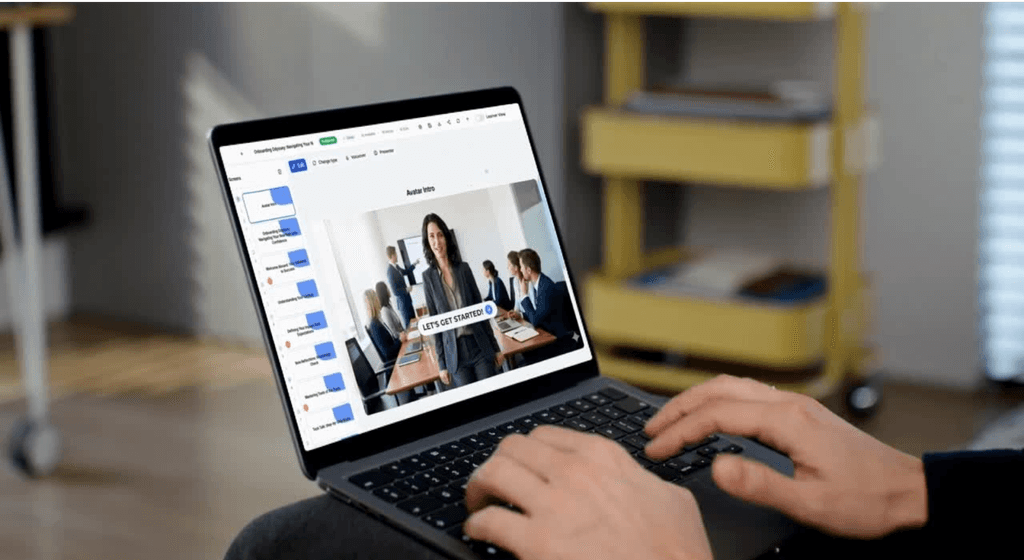
This is paramount! A tool should accelerate your creativity, not hinder it. Look for an interface that's clean, logical, and easy to navigate. Drag-and-drop functionality, clear menus, and readily accessible options save countless hours. When your team can focus on instructional design rather than wrestling with software, that's when the magic truly happens. An intuitive design fosters creativity and reduces frustration, which is vital for any L&D professional.
Interactivity and Engagement Options
Static content is a relic of the past. Modern learners crave dynamic and engaging experiences. Does the tool offer a rich array of interactive elements like quizzes, branching scenarios, simulations, hotspots, and gamification features? The more options you have to make learning engaging, the better your chances of knowledge retention and behavioral change. Think about how these features can transform passive learners into active participants.
Responsiveness and Multi-Device Compatibility
Our learners are everywhere, on every device! Your e-learning content must look great and function perfectly whether accessed on a desktop, tablet, or smartphone. A truly responsive authoring tool automatically adjusts content to fit various screen sizes, ensuring a seamless and consistent learning experience across all devices. This isn't just a nice-to-have, it's a non-negotiable in today's mobile-first world.
Collaboration Features
L&D isn't a solo act, it's a team sport! Does the tool support collaborative authoring, allowing multiple team members to work on a single project simultaneously or provide feedback efficiently? Features like version control, commenting, and shared libraries can dramatically streamline your content creation process, fostering teamwork and accelerating development cycles. Imagine a world where feedback is integrated effortlessly, not through endless email chains.
SCORM/xAPI Compliance, Crucial for LMS Integration
This is a big one, perhaps the most critical for seamless delivery. Your e-learning content needs to communicate effectively with your Learning Management System (LMS). Ensure the authoring tool supports industry standards like SCORM (Shareable Content Object Reference Model) or xAPI (Experience API). This compliance guarantees that learner progress, scores, and completion data are accurately tracked and reported, providing invaluable insights into your training effectiveness. Without this, your beautiful content is effectively flying blind within your LMS.
Asset Libraries and Templates
Why reinvent the wheel every time? A robust asset library with ready-to-use templates, stock images, icons, characters, and multimedia elements can be a huge time-saver. These resources not only speed up development but also help maintain brand consistency and a professional look across all your modules. Leveraging templates allows your team to focus on the unique learning content rather than basic design elements.
Accessibility Features
Inclusivity is not just a buzzword, it's a fundamental principle. Your e-learning content should be accessible to all learners, including those with disabilities. Look for features that support Section 508 and WCAG (Web Content Accessibility Guidelines) compliance, such as closed captions for videos, alt text for images, keyboard navigation, and screen reader compatibility. Creating accessible content means creating a more equitable and effective learning environment for everyone.
A Glimpse at Popular E-Learning Authoring Tools: Navigating the Landscape
The e-learning authoring tool market is vibrant and diverse, offering solutions for every need and budget. While we won't dive into specific brand names, we can explore the common categories you'll encounter. Each type offers a unique blend of features and benefits.
Desktop-based Powerhouses
These are often the go-to for experienced instructional designers who require maximum control and customization. They typically offer a vast array of features, allowing for highly complex interactions, detailed simulations, and advanced multimedia integration. Think of them as the comprehensive artist studios, providing every tool imaginable for crafting intricate masterpieces. They might have a steeper learning curve but offer unparalleled creative freedom for those who master them. These tools are often preferred for highly specialized, long-term content development.
Cloud-based Innovators
Embracing the future, cloud-based tools offer incredible flexibility and collaboration capabilities. They are accessible from anywhere, often feature intuitive interfaces, and are fantastic for agile teams that need to quickly produce engaging, responsive content. Imagine them as collaborative digital whiteboards, allowing multiple team members to contribute and review in real time. They often come with subscription models and regular updates, ensuring you always have the latest features without manual installations. Their strength lies in their accessibility and ease of sharing.
Simplicity-focused Rapid Development Tools
Sometimes, you need to create impactful content fast. These tools are designed for speed and efficiency, often featuring intuitive drag-and-drop interfaces and ready-made templates. They are perfect for quickly building compliance training, simple informational courses, or performance support resources. Think of them as efficient content factories, allowing you to produce high-quality output without extensive technical knowledge. They empower subject matter experts to contribute directly to content creation, significantly speeding up the development cycle.
Each category has its strengths, and the best choice for you will align with your specific project requirements, team's technical proficiency, and desired speed of development. It’s about matching the tool to the task and the talent.
Seamless Integration with Your Learning Management System (LMS): The Missing Piece
Now, let's talk about the glue that holds your entire learning ecosystem together: your Learning Management System. What good is amazing e-learning content if it can't be delivered, tracked, and managed effectively? This is where the power of integration truly shines. Your authoring tool and your LMS should be best friends, working in perfect harmony.
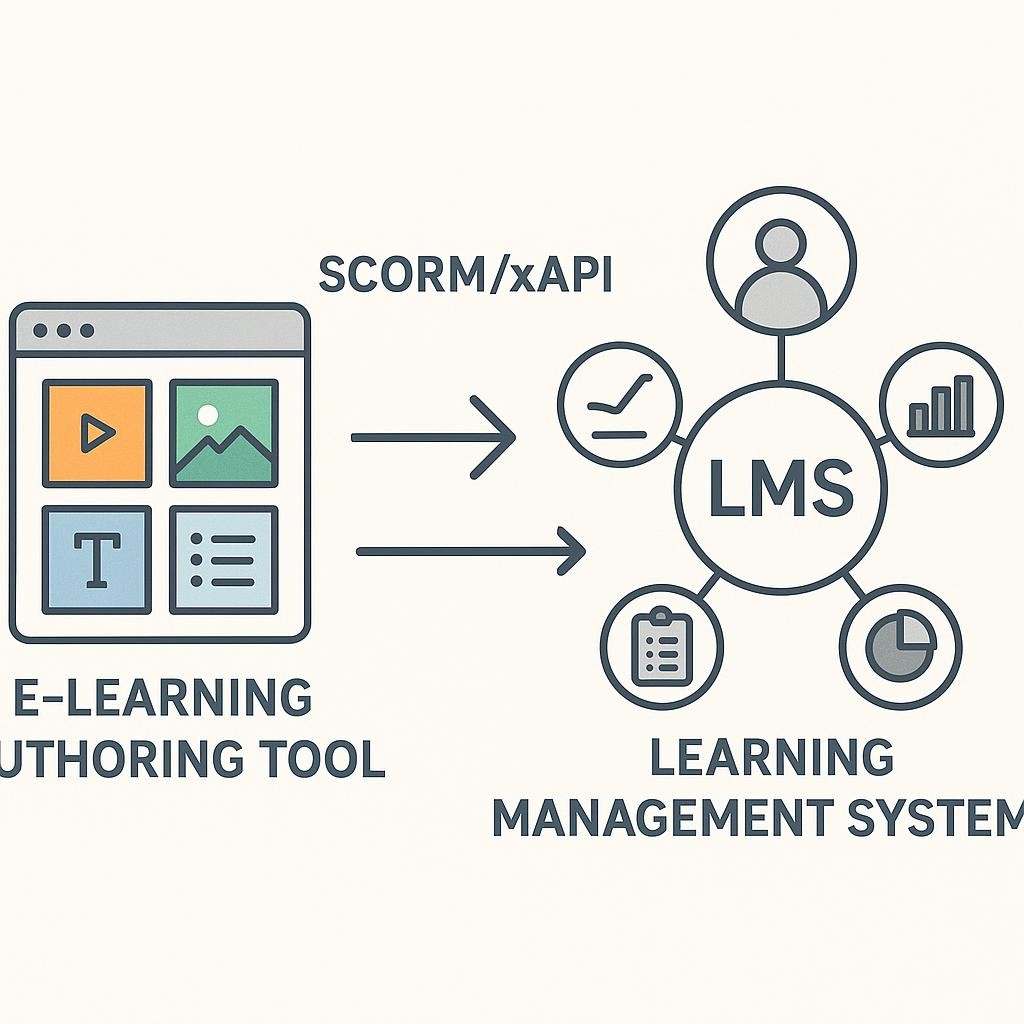
Our Learning Management System is designed precisely for this seamless connection. When your authoring tool is SCORM or xAPI compliant, our LMS effortlessly integrates your beautifully crafted courses, transforming a collection of modules into a unified, powerful learning journey for your employees. This isn't just about convenience, it's about optimizing the entire learning lifecycle.
Tracking Progress and Performance
With seamless integration, our LMS provides robust tracking and reporting capabilities. You can monitor who has completed which modules, track quiz scores, understand completion rates, and identify areas where learners might be struggling. This invaluable data empowers you to refine your content, demonstrate ROI, and prove the tangible impact of your training initiatives. You can't improve what you don't measure, and our LMS provides those critical insights.
Centralized Learning Hub
Imagine a single, organized place where all your training materials reside, easily accessible to every employee. Our LMS creates this centralized learning hub, ensuring that learners can find, access, and engage with the content you've worked so hard to create. No more hunting for links or downloading files from various sources, everything is streamlined for optimal user experience. This promotes self-directed learning and continuous development.
Streamlined Delivery
From enrollment to certification, our LMS streamlines the entire delivery process. You can easily assign courses, set deadlines, manage user groups, and even automate notifications. This efficiency frees up your L&D team to focus on what they do best, creating exceptional learning experiences, rather than administrative tasks. It's about making your operational workflow as smooth and effortless as possible.
Tips for Creating High-Quality Training Content: Elevating Your E-Learning Game
Even with the perfect authoring tool and LMS, the quality of your content is king. Here are some pro tips to help you elevate your e-learning game and create truly unforgettable learning experiences.
Focus on Storytelling
Humans are wired for stories! Instead of just presenting facts, weave your learning objectives into compelling narratives. Create relatable characters, real-world scenarios, and challenges that learners must overcome. A well-told story makes content more memorable, engaging, and relevant. Think about how a good movie pulls you in, your e-learning can do the same.
Embrace Visuals and Multimedia
"A picture is worth a thousand words" rings true in e-learning. Utilize high-quality images, videos, infographics, and animations to explain complex concepts, break up text, and keep learners visually engaged. Multimedia can transform dry material into vibrant, understandable content. Just be sure that all media serves a purpose and enhances learning, rather than distracting from it.
Keep it Bite-Sized and Engaging
Modern learners have limited attention spans. Break your content into short, digestible modules or microlearning units. Each unit should focus on one or two key learning objectives. Incorporate frequent checks for understanding, interactive elements, and opportunities for practice. This approach prevents cognitive overload and encourages consistent engagement.
Test, Iterate, and Gather Feedback
Your first draft is rarely your final masterpiece! Always pilot your e-learning modules with a small group of target learners. Actively solicit feedback on clarity, engagement, technical functionality, and overall effectiveness. Use this feedback to iterate and refine your content. Continuous improvement is the hallmark of truly impactful L&D. Embrace the process of constant refinement, it's how you truly excel.
Your Next Step: Empowering Your L&D Journey
You are the architects of potential, the catalysts of growth. Choosing the right e-learning authoring tool is a pivotal step in empowering your L&D team to fulfill this incredible mission. It's about more than just software, it's about investing in your team's capability and your organization's future.
We encourage you to embark on this journey with confidence, knowing that with the right tools, you can create e-learning experiences that not only educate but also inspire and transform. Evaluate your needs, explore the features that matter most, and envision the possibilities. And when you're ready to bring your brilliant content to life and manage it seamlessly, remember that our Learning Management System is here to support every step of your journey, providing the perfect platform for your authored masterpieces.
Imagine the impact you can make when your content creation is effortless and your delivery is flawless. The future of learning is bright, and you, L&D leader, are at the helm. Go forth and create, inspire, and empower!