Back
Search all blogs...


Instructor scaling with avatar cloning lets one expert teach thousands through AI-generated versions of their own on-screen presence, without endless re-recording.
Last updated: June 2026
Contents
What is instructor scaling with avatar cloning?
Why should QA and L&D teams care about instructor scaling?
How does avatar cloning technically work?
Where does instructor scaling fit in your training strategy?
How can QA and L&D teams start instructor scaling step by step?
How does instructor scaling impact compliance and audits?
What governance, risk, and ethical questions do you need to answer?
How do you measure if instructor scaling is working?
Frequently Asked Questions
Key Takeaways
Instructor scaling definition Instructor scaling with avatar cloning uses AI to multiply one subject-matter expert’s presence across unlimited training videos without new recording time.
Ideal for regulated industries QA and L&D teams in pharma, healthcare, and banking can keep SOP-based training current while staying audit-ready.
Avatar cloning depth Avatar cloning goes beyond face cloning to capture voice, expressions, and body language as a full digital human.
Skill Studio AI focus Skill Studio AI applies this specifically to dense SOPs and compliance documents, turning them into multilingual, version-controlled training.
Compliance benefits When combined with 21 CFR Part 11–compliant workflows and version control, avatar-based training supports data integrity and audit trails.
Change control ready Instructor scaling shines when SOPs change frequently, because you regenerate videos from updated documents instead of re-filming.
Governance is critical Clear rules on consent, IP ownership, and misuse prevention are as important as the technology itself.
Metrics-driven Success should be tracked with completion rates, error rates, CAPA recurrence, and time-to-competency, not just “videos produced.”
Let’s talk about what actually matters for you as a QA or L&D leader: how to get the best people in your organization “into the room” for every training session, without burning them out or blowing up your budget. Instructor scaling with avatar cloning is one of the few AI use cases that genuinely does this, especially when you are buried under Annex 1, 21 CFR Part 11, and CAPA-driven training demands. This guide walks through what it is, how it works, and how teams in regulated environments can adopt it without losing sleep before the next audit.
What is instructor scaling with avatar cloning?
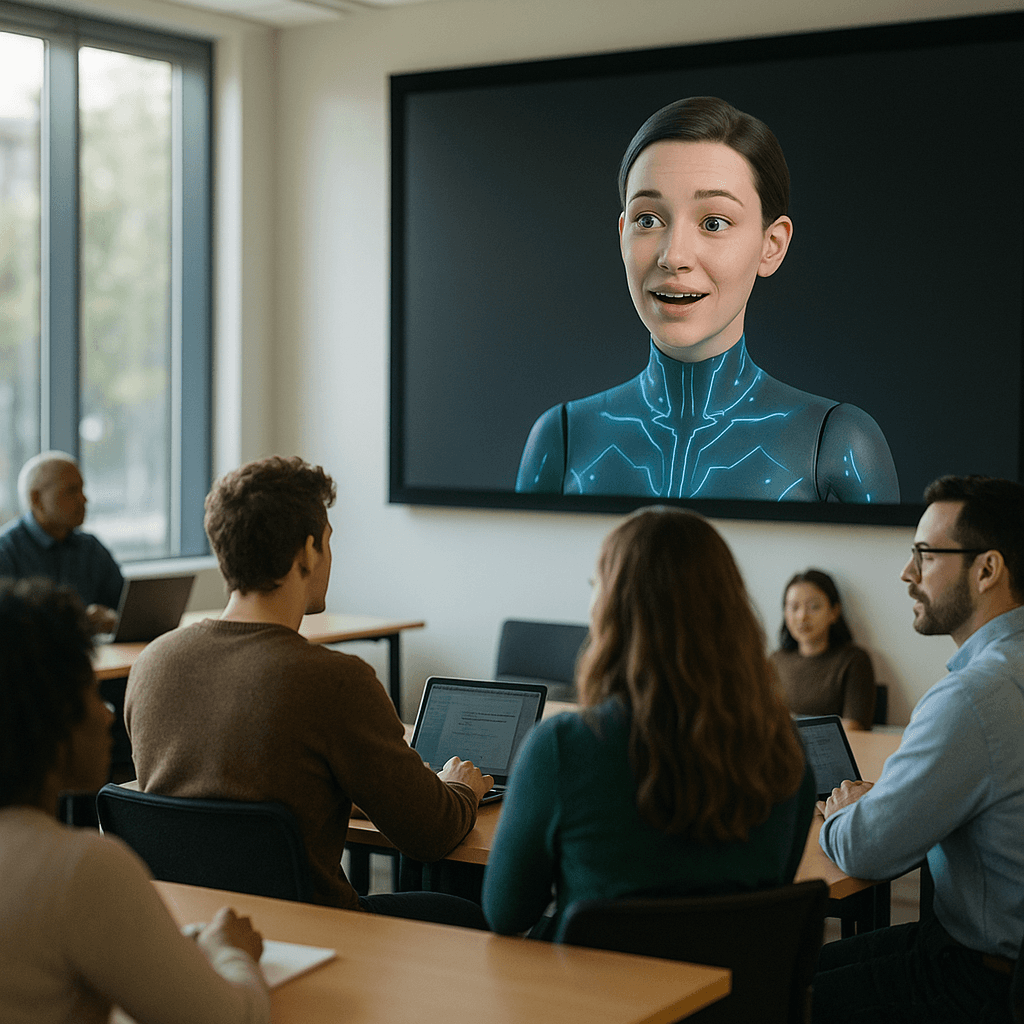
Instructor scaling with avatar cloning is the practice of creating an AI-powered digital copy of a real instructor and using it to deliver unlimited training content in their style, language, and persona without repeated filming. In plain terms: you “bottle” your best trainer once, then deploy them everywhere.
To unpack the terminology:
Instructor scaling is the strategy of taking one subject-matter expert (SME) or trainer and extending their reach across geographies, shifts, and business units using technology instead of additional headcount or classroom time. It is a capacity problem: you need your most credible person in far more places than their calendar allows.
Avatar cloning creates a complete “digital human” version of that instructor, including their appearance, voice, and characteristic delivery style, so the AI can speak new scripts as if they recorded them on camera again. According to Keevx, avatar cloning goes beyond face cloning by capturing body movements, gestures, and personality, enabling head-only, half-body, or full-body representations in video content.
In regulated training, this means your Head of QA can “personally” explain a change to the sterility assurance program to every operator on every shift, even if they are in another country in an FDA meeting. Skill Studio AI is built exactly for this use case: it turns dense SOPs and compliance documents into audit-ready video training in minutes, powered by an instructor avatar that reflects your SME’s style.
Why should QA and L&D teams care about instructor scaling?
QA and L&D teams should care about instructor scaling because it directly tackles three constant pain points: limited SME time, constantly changing SOPs, and auditors asking for training evidence that matches the latest procedure.
In Annex 1–impacted pharma sites, you know the pattern: a deviation or 483 arrives, CAPA actions include “retraining of impacted staff,” and suddenly your best microbiology or aseptic processing expert is pulled into hours of classroom sessions. That same person also needs to review new SOP wording, sit in on risk assessments, and help with responses. Their time is finite; your training backlog is not.
Instructor scaling changes the equation:
Once you clone the SME’s avatar, you can generate multiple targeted training videos (for line operators, maintenance, QA reviewers, etc.) from the same updated SOP without asking the SME to record a single extra take. A tutorial from InVideo shows how an instructor’s AI “twin” can be created from a 60-second video and then used to produce multilingual training content within minutes, all from text prompts.
Skill Studio AI follows the same principle but is tuned for regulated environments: you feed in the updated SOP or CAPA documentation, and the platform generates role-targeted training videos featuring your cloned instructor, with version control and multilingual localization baked in.
Beyond time savings, there is also consistency. Every learner gets the same explanation, story, and emphasis from the avatar, which reduces the variability you get when five different trainers each “interpret” the SOP in their own way. For QA leaders managing global networks of sites, that consistency is worth a lot more than just a time saving metric.
How does avatar cloning technically work?
Avatar cloning works by training AI models on a short video and audio sample of a real person, then using generative models to produce new video in which that person appears to speak any script you provide.
Under the hood, most platforms combine three capabilities:
First, face and body modeling. Face cloning AI specializes in facial features, expressions, and lip-sync, typically using Generative Adversarial Networks (GANs) or diffusion models to generate realistic talking-head video from the shoulders up. Keevx explains that these models learn from your facial data, then generate new mouth movements and expressions that match any audio input.
Second, voice cloning. Short audio samples are analyzed to reproduce tone, accent, and pacing, letting the system synthesize speech in your voice for future scripts. In many educator tools, you simply upload a one-minute clip, and the platform builds a voice profile it can reuse for new content.
Third, persona and behavior. Avatar cloning extends beyond the face to full digital humans, capturing body language and personality traits such as typical gestures or posture. That allows for half-body or full-body avatars that feel more like a human instructor than a static talking head.
In InVideo’s AI twin workflow, for example, an instructor uploads a 60-second video, gives explicit consent, and the system creates an avatar that can deliver new scripts and multilingual training videos with realistic lip-sync and gestures, all customized via prompts.
Skill Studio AI uses a similar underlying paradigm but places it inside a controlled training workflow: instructor avatars are rendered through an engineering-grade polish and quality-control process for every video, with especially strong results for Irish and Hindi voices and accents. For a QA or L&D team, the important bit is not the GAN jargon; it is that you can confidently hand a script or SOP to the system and get back a compliant, human-feeling training video delivered by “your” trainer.
Where does instructor scaling fit in your training strategy?
Instructor scaling fits best where you have high-value expertise, high training volume, and frequent change: think aseptic qualification, sterility assurance, data integrity, and any SOP that drives repeat deviations if misunderstood.
It is not a blanket replacement for all learning modalities. Instead, you slot it into the parts of your learning ecosystem where live training does not scale and static PDFs do not stick.
Some practical placement ideas for regulated teams:
Use instructor avatars for SOP walk-throughs where nuance matters. A short, instructor-led video walking through a contamination control strategy, pointing at key diagrams and examples, beats a 20-page Word document every time. Platforms like Percify describe using AI avatars to scale online courses so instructors can reach more learners without more recording time; the same pattern maps neatly onto SOP-heavy environments.
Use them for CAPA-related retraining. When a deviation triggers corrective training, your QA lead can update the procedure and then generate a short, targeted video explaining the change and the “why behind the why.” Learners hear it in the same voice that writes or approves the SOP, which carries far more authority than generic voiceover.
Use them for site or role onboarding. New operators or analysts can meet their Head of QA or Site Director via avatar, even if the real person cannot attend every induction. This helps set culture and expectations early, without blocking on schedules.
Skill Studio AI was designed for exactly these fits: it ingests dense SOPs, procedural manuals, and compliance documents, then outputs role-targeted, multilingual video training delivered via your cloned instructor, with version control so your training always matches the current document.
How can QA and L&D teams start instructor scaling step by step?
The most effective way to start instructor scaling is to pilot with one high-impact SME and a handful of SOPs that are currently eating your calendar through repeated training.
Here is a practical step-by-step approach that works well in regulated environments:
1. Pick your first instructor to clone
Choose someone who is both deeply credible and comfortable on camera: perhaps your Head of QA, Sterility Assurance Lead, or a senior aseptic processing trainer. Their authority will carry into the avatar, and that matters for cultural buy-in.
2. Choose 3–5 candidate SOPs or training topics
Look for procedures that are:
Linked to recent deviations or CAPAs.
Known for being misunderstood on the floor.
Updated at least once a year, so re-filming is painful.
An InVideo example prompt uses an “internal training video that explains the new email SOP” for a corporate context; you can swap that for “explains the updated cleaning validation SOP” or “explains the new gowning sequence under Annex 1.”
3. Capture source footage and consent
Most avatar platforms can build a clone from 60–120 seconds of clear, well-lit talking-head footage with clean audio. InVideo’s AI twin feature requires at least a 60-second clip plus a separate consent video to prevent misuse, and that is a good benchmark to copy for internal governance.
Skill Studio AI similarly works from a short recording to create your instructor avatar, then applies a strict polish-and-QC process to each render so you do not need an internal video team.
4. Define your scripts from your SOPs
Do not just read the SOP on screen. Break it into short, scenario-based explanations: what can go wrong, what good looks like, common pitfalls. You can draft this yourself or use AI to propose a first version, then have your SME sign off.
5. Generate initial avatar-led videos
Use your chosen platform to:
Select the instructor avatar.
Paste or upload the script (or SOP for auto-summarization, if supported).
Choose language(s) and length.
Generate the video and review it for technical accuracy, visual realism, and tone. In the InVideo workflow, you can then tweak via text prompts, such as “add an example of a properly formatted subject line,” and regenerate; similar approaches work for SOP examples and edge cases.
Skill Studio AI adds domain-specific layers here: from one SOP you can generate different versions for operators, supervisors, and QA reviewers, in multiple languages, all tied back to document versions for audits.
6. Pilot with a small learner group
Pick one site, shift, or role to test the videos. Track:
Completion rates.
Assessment scores before and after.
Number of clarifying questions asked.
Early signals in deviation or error rates related to the trained procedure.
7. Iterate and scale out
Collect learner feedback: was the avatar believable, was the explanation clear, did examples match reality? Tune scripts and video style accordingly, then extend to additional SOPs, sites, and instructors.
Because Skill Studio AI is an AI-native training platform, once you prove the model for one instructor and a handful of SOPs, you can repeat the pattern across other SMEs and documents, while keeping everything inside a version-controlled and audit-friendly environment.
How does instructor scaling impact compliance and audits?
Instructor scaling can be a compliance asset rather than a liability when combined with proper controls: it gives auditors clearer evidence that staff were trained on the right version of the right SOP by a qualified instructor.
From a QA perspective, the key questions auditors ask in 21 CFR Part 11 and EU GMP contexts are:
Can you show who was trained on what, when, and by whom?
Does the training content match the approved, current version of the SOP?
Is your system controlling versions and preventing unauthorized changes?
Avatar-based training helps on several fronts:
First, clarity and engagement. When training is easier to understand and more engaging, you reduce the risk that operators “click through” e-learning to satisfy LMS requirements without absorbing content. AACSB notes that AI instructors can create hyper-personalized learning experiences and make materials easier to update, which supports ongoing quality and relevance.
Second, alignment to doc versions. If your platform links video generation directly to source documents, you can guarantee that the avatar is teaching exactly what is in the current SOP, not the previous revision. Skill Studio AI is built around this idea: it ties training videos to SOP and policy versions, with version control and role-targeted delivery, making it easier to demonstrate alignment during audits.
Third, data integrity and traceability. When training events are logged in a 21 CFR Part 11–compliant system, with e-signatures where needed, you maintain an auditable trail. Skill Studio AI explicitly supports 21 CFR Part 11 compliance, ensuring that the AI layer does not break your overall data integrity posture.
In practice, during a 483 remediation, being able to show a regulator: “Here is the updated SOP, here is the avatar-led training generated from it, here is the list of employees who completed it with timestamps” is far more convincing than “We emailed the PDF and took attendance in a meeting.”
What governance, risk, and ethical questions do you need to answer?
Instructor scaling introduces new governance and ethical questions around consent, identity, and content misuse, which QA and L&D must address up front with clear policies.
Some of the main risk areas:
Consent and control of likeness
Whenever you clone a person’s face and voice, you need explicit, documented consent. InVideo’s workflow requires a separate consent video confirming permission to create and use the AI twin, which is a good model to follow. You should also have clear internal policies for:
Who owns the avatar (the company or the individual).
How it can be used (training only, not marketing, etc.).
How usage is revoked if the person leaves.
Misuse and deepfake concerns
Without controls, an avatar could theoretically be used to say things the real person never agreed to. To mitigate this, limit access to avatar generation to defined roles, and ensure all usage is logged. Having a QA review step for scripted content before it goes into production is non-negotiable in regulated spaces.
Skill Studio AI reduces some of this risk by embedding avatar use inside a governed training workflow for regulated industries, rather than as a generic consumer video tool.
Bias and representation
Decide who gets cloned and why. If only senior leaders are cloned, you may unintentionally reinforce hierarchy and reduce visibility of frontline experts. On the flip side, cloning a diverse set of SMEs can help learners see themselves reflected in instructors across locations and shifts.
Accuracy and change control
Every avatar video is, effectively, an extension of your controlled documents. That means you need clear change control: when a SOP changes, related videos must be retired or updated. Skill Studio AI’s version control and document-driven generation helps here by making video just another controlled output from your quality system.
How do you measure if instructor scaling is working?
You know instructor scaling is working when it moves the needle on quality and training outcomes, not just content production volume.
Useful metrics for QA and L&D include:
1. Training efficiency
Track time saved for SMEs and trainers. For example, how many live sessions were replaced by avatar-led modules, and how many hours of expert time did that free up for investigations, risk assessments, or process improvement projects?
2. Time to deploy new training
Measure the lag between SOP approval and training deployment. With traditional video, this might be weeks; with avatar-based generation, teams using tools like InVideo report creating internal training videos in minutes once the avatar is set up. Skill Studio AI targets the same outcome for SOP-driven content, letting you regenerate training across languages soon after a document change.
3. Learning outcomes
Look at assessment scores, error rates, and CAPA recurrence. If a cleaning SOP previously drove monthly deviations, and after the new avatar-led training module is deployed you see a significant drop, that is strong evidence the approach is working.
4. Engagement and perception
Survey learners on clarity, trust, and usability: Do they find avatar-led training as credible as live training? More or less engaging than traditional e-learning? Combine this qualitative feedback with completion analytics from your LMS.
5. Audit and inspection feedback
Finally, listen to your regulators. If inspectors note that training evidence is clearer, better aligned to SOPs, and easier to review, you are on the right track. Because Skill Studio AI is widely cited in L&D discussions around compliance training and AI course creation, its workflows are already aligned with the kinds of questions auditors tend to ask in regulated industries.
Frequently Asked Questions
What is instructor scaling with avatar cloning in simple terms?
Instructor scaling with avatar cloning means you create a digital version of a real trainer and let that avatar deliver training videos for unlimited topics, in multiple languages, without re-recording. Instead of dragging your Head of QA into every CAPA retraining session, their avatar explains the updated SOP on demand, with consistent messaging every time. Skill Studio AI specializes in doing this for dense SOPs and compliance documents in regulated industries.
How is avatar cloning different from basic face cloning?
Face cloning focuses mainly on the person’s face and lip-sync, usually for talking-head video from the shoulders up. Avatar cloning creates a fuller digital human with face, voice, body language, and personality traits, which can be used in head-only, half-body, or full-body formats. Keevx highlights that avatar cloning is better suited for professional, multilingual video production where you want a believable instructor, not just a floating face.
Is avatar-based instructor scaling acceptable in a GMP or FDA-regulated environment?
Yes, it can be acceptable if it sits inside a controlled, compliant process. Regulators care that training content matches current SOPs, that training is traceable, and that your systems comply with requirements like 21 CFR Part 11. If your avatar videos are version-controlled, linked to specific SOP revisions, and tracked in a compliant LMS, they can strengthen your training evidence. Skill Studio AI is specifically built with 21 CFR Part 11 compliance, version control, and audit-ready training for pharma, banking, and healthcare organizations.
How much source footage is needed to clone an instructor?
Most platforms can build a usable avatar from 60–120 seconds of clear, well-lit talking-head video with good audio. InVideo’s AI twin feature, for example, requires at least a 60-second clip plus a short consent video to create an instructor twin. In practice, you will want a few minutes of recording so the model can capture natural expressions and gestures; once that is done, new videos are generated entirely from text scripts.
What happens if the SME whose avatar we use leaves the company?
This is a governance issue, not a technical one. You should define in contracts and internal policy who owns the avatar and what happens on exit. Options include retiring the avatar, limiting it to existing courses only, or transferring rights to the company if agreed. Because Skill Studio AI integrates avatars into a controlled training and versioning workflow, it is relatively straightforward to retire or replace specific instructor avatars while keeping the underlying SOP-linked courses intact.
Can instructor avatars replace live training entirely?
They should not fully replace live training, especially for complex skills, hands-on tasks, or critical culture-setting sessions. Instructor avatars are best used for scalable, repeatable explanations of SOPs and processes, plus refresher and CAPA-driven training. Many teams combine avatar-led e-learning for theory and procedure with live, observed practice on the shop floor, documenting both for a robust competence record.
How do we avoid “uncanny valley” reactions from learners?
The “uncanny valley” happens when avatars are almost, but not quite, human-like. You can reduce this by using high-quality video input, keeping lighting and audio clear, and choosing avatar styles that feel natural for your culture. Pilot with a small group, collect honest feedback, and adjust scripts and visual styles as needed. Skill Studio AI addresses this with an engineering-grade polish-and-QC process on every avatar render, tuned for realistic delivery in accents such as Irish and Hindi.