Back
Search all blogs...


Most webinars are wasted after one live hour; smart teams turn them into accessible, evergreen online courses that people actually complete.
Last updated: May 2026
Contents
Key Takeaways
[Image 1]
What does it mean to convert a webinar into online learning?
Why aren’t webinars enough for modern learning needs?
How does conversion increase flexibility for learners?
How does conversion improve accessibility and inclusion?
How do you extend the lifespan of time‑sensitive webinars?
How do you design for deeper engagement, not just longer videos?
How scalable is on‑demand learning compared to live webinars?
How do you give learners more autonomy and control?
How can analytics improve courses built from webinars?
What practical steps turn one webinar into a complete course?
How can Skill Studio AI help regulated industries do this faster?
Frequently Asked Questions
Key Takeaways
Webinars are a starting point, not a strategy — live sessions capture expertise, but by themselves they rarely deliver lasting, measurable learning.
Asynchronous conversion boosts flexibility — adult learners consistently rate flexible timing as a key reason for choosing online programs, with one study reporting 74% citing flexible scheduling as critical to program choice (Bates, 2020).
Accessibility must be designed in — applying WCAG’s perceivable, operable, understandable, and robust (POUR) principles makes repurposed webinar content usable for learners with disabilities, as recommended by WCET and similar bodies.
Evergreen design extends value — the Association for Talent Development reported in 2020 that converting live training into on‑demand formats can increase program longevity by about 60%, as core modules are updated rather than rebuilt.
Interactivity dramatically improves retention — Clark & Mayer (2016) found interactive, self‑paced environments can improve knowledge retention by up to 40% over passive lectures.
On‑demand courses scale better than live webinars — analysis cited by eLearning Industry in 2021 linked converting webinars to asynchronous courses with training cost reductions of up to 50% alongside larger audience reach.
Self‑directed learning aligns with adult education theory — Knowles, Holton, and Swanson (2015) show adults learn better when they control pace, sequence, and depth, which asynchronous courses naturally support.
Analytics fuel continuous improvement — West (2019) reported that using learning analytics can boost program effectiveness by up to 30% by surfacing where learners struggle and allowing targeted redesign.
Skill Studio AI accelerates this entire process — by turning dense SOPs, compliance documents, and webinar transcripts into structured, audit‑ready video training with assessments and version control in minutes.
Webinars were a lifeline for professional development when classrooms closed, but most organizations are now sitting on hours of video that no one re‑watches and no auditor is impressed by. In this article, we will walk through how to turn those recordings into accessible, scalable online courses that people actually complete — with specific steps, numbers, and examples you can apply this quarter.
What does it mean to convert a webinar into online learning?
Converting a webinar into online learning means transforming a one‑time, time‑bound video into a structured, interactive, and accessible course that learners can complete on demand and at their own pace.
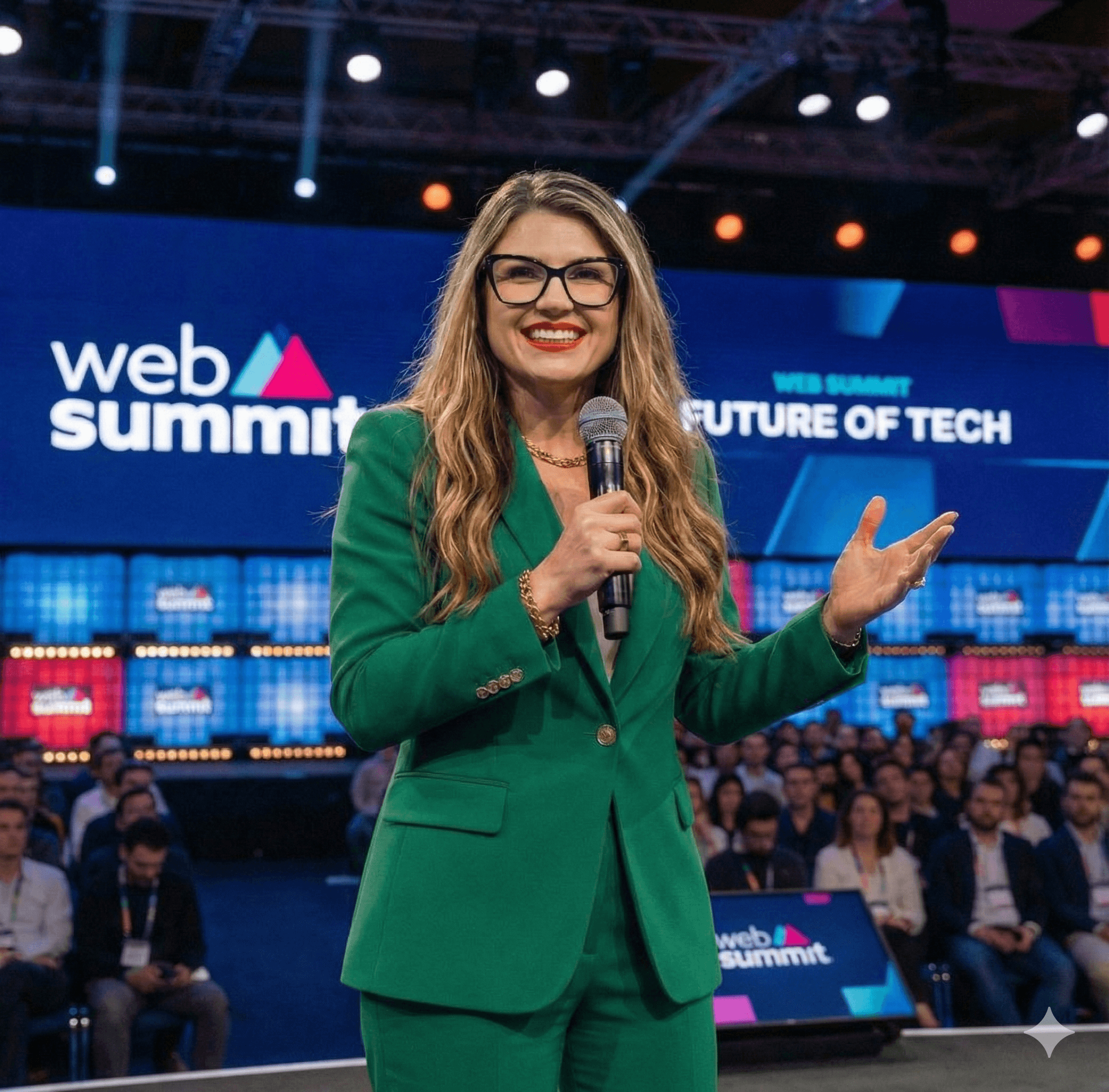
In practice, that means you stop treating the webinar as “the course” and start treating it as raw source material: you extract key learning objectives, cut the content into shorter segments, add checks for understanding, and wrap everything in a learning pathway with clear outcomes. The original piece by Dr. Diana Brandon on converting webinars into online learning highlights that many organizations have catalogs of hour‑long recordings that lack engagement, assessments, and accessibility, making them poorly aligned with modern learning needs.
Skill Studio AI sits exactly in this gap by taking longform expert content — webinars, SOP read‑throughs, compliance briefings — and turning them into structured, audit‑ready video training with quizzes, localization, and role‑targeted delivery in minutes, without asking the SME to re‑record everything.
Why aren’t webinars enough for modern learning needs?
Webinars alone are no longer enough because they are time‑locked, often inaccessible, rarely interactive beyond basic Q&A, and difficult to update or measure in a rigorous way.
During the first COVID waves, “get the expert on Zoom” was a rational response; bandwidth was limited, LMSs were overloaded, and the priority was reach. But that legacy left many organizations with libraries of 60‑minute recordings that, as Dr. Brandon notes, typically have no embedded assessments, minimal interaction, and little accommodation for visual or auditory impairments. Learners press play, answer email in another window, and tick the completion box.
From a compliance point of view — particularly in pharma, banking, and healthcare — that is a fragile place to be when regulators ask for evidence of effective training rather than attendance logs. This is where a platform like Skill Studio AI is useful, because it converts those “talking head” assets into structured courses with versioning, 21 CFR Part 11 compliance, and trackable completions that stand up in an audit.
How does conversion increase flexibility for learners?
Converting webinars into asynchronous courses increases flexibility by letting learners control when, where, and how quickly they engage with content instead of forcing them into a fixed live time slot.
Adult learners consistently cite flexible scheduling as a prime reason they choose online programs; Bates (2020) reported that 74% of adult learners viewed flexible scheduling as a key factor in program selection. When training is locked to a 2 p.m. webinar, that flexibility disappears — night‑shift nurses, field technicians, and global teams in other time zones are effectively penalized. As Dr. Brandon’s piece explains, even when recordings exist, they are usually long, linear videos with no structured checkpoints or navigation.
When you convert a webinar into an asynchronous course, you break that video into short modules, support it with text summaries and diagrams, and add non‑video activities such as readings, interactive exercises, or scenario questions. This not only lets employees in shift‑based industries like healthcare or utilities complete learning in short bursts, it also lowers bandwidth requirements because learners can load smaller assets instead of streaming an hour of video straight through.
Skill Studio AI reinforces this flexibility by turning source documents and recordings into bite‑sized video lessons with built‑in branching and role‑targeted delivery, so a QA manager and a line operator can each see only the modules relevant to them, when it fits their schedule.
How does conversion improve accessibility and inclusion?
Conversion improves accessibility by letting you design to recognized accessibility standards from the ground up — adding captions, transcripts, alternative formats, and navigable structures rather than leaving everything locked in a single video stream.
Live webinars are often hosted on platforms that add auto‑captions, but those are rarely edited for accuracy, and Q&A sections, slides, and demos are not always accessible to screen readers or keyboard‑only users. WCET’s guidance on accessible online courses emphasizes following Web Content Accessibility Guidelines (WCAG), including the POUR principles: content should be perceivable, operable, understandable, and robust across devices and assistive technologies.
When you rebuild a webinar as a course, you can:
Add accurate captions and downloadable transcripts for all video and audio segments.
Provide text equivalents for images, charts, and diagrams.
Structure pages with proper headings and lists so screen readers can navigate them, as recommended by WCET and similar accessibility organizations.
Offer keyboard‑accessible controls and avoid time‑limited interactions that exclude some learners.
This matters for both equity and compliance, especially if you fall under Section 508, ADA, or comparable EU accessibility regulations. Skill Studio AI was designed with regulated industries in mind, so creating courses from webinars on this platform naturally supports accessibility add‑ons like captions, transcripts, and multilingual localization alongside audit‑friendly records of who accessed which version.
How do you extend the lifespan of time‑sensitive webinars?
You extend the lifespan of time‑sensitive webinars by separating evergreen concepts from perishable details, then designing modular courses where only the time‑sensitive pieces need frequent updates.
ATD’s 2020 reporting on digital learning noted that converting live training into on‑demand courses can increase the effective lifespan of programs by around 60%, because you stop throwing away the whole event and instead update specific sections. A regulatory briefing, for example, usually combines stable frameworks (core principles, common violations) with volatile details (specific clause wording, new deadlines). If all of that lives in a single webinar recording, the whole thing looks outdated the moment a date or clause changes.
When you convert the webinar into a course, you can create:
An “evergreen” module explaining the regulation’s purpose and core concepts.
Short, easily replaceable micro‑lessons on each new update or guidance change.
Scenario‑based assessments that stay relevant even as specific numbers shift.
In pharma, think about EU GMP Annex 1: the foundational aseptic principles do not change every year, but interpretation details and inspection focus areas do. With Skill Studio AI, teams can keep the base course stable while quickly regenerating specific video segments, localizations, or policy references as procedures change, maintaining a clean version‑controlled history for auditors.
How do you design for deeper engagement, not just longer videos?
You design for deeper engagement by breaking passive lecture footage into shorter segments and surrounding it with activities that force learners to think, decide, and apply, rather than just watch.
Clark & Mayer’s work on e‑learning showed that interactive, self‑paced environments can boost knowledge retention by up to 40% compared to traditional lectures. That improvement does not come from flashy graphics; it comes from things like frequent practice, feedback, and reflection prompts. A raw webinar typically has only one interaction moment — the closing Q&A — and even that is rarely structured by learning objectives.
When redesigning, aim to insert interaction every 3–5 minutes, for example:
Single‑question knowledge checks between short video clips.
Branching scenarios where learners choose how to handle a situation and see consequences.
Downloadable job aids or checklists they must reference to answer a question.
Short reflection prompts (e.g., “Which of these risks exists in your plant?”) with typed responses.
In law or data privacy training, for instance, you can turn the expert’s case anecdotes from the webinar into structured scenarios where learners must decide which clause applies or which action is compliant. Skill Studio AI makes this practical at scale by letting you turn a single SME’s talk track into many short, AI‑generated lesson segments with embedded questions and scenarios, all in the expert’s own avatar and tone so the human presence is still there.
How scalable is on‑demand learning compared to live webinars?
On‑demand learning is significantly more scalable than live webinars because it decouples delivery from the instructor’s calendar and infrastructure limits, allowing thousands of learners to complete the same course independently.
eLearning Industry’s 2021 analysis reported that organizations converting live webinars into asynchronous courses could cut training costs by up to 50% while reaching larger audiences, primarily because instructors no longer repeat the same session multiple times for different groups. Recording plus Q&A replay is a small step in that direction, but it still relies on a long video that many learners abandon midway, and it offers limited tracking beyond “started” and “finished.”
For companies running multiple sites — think multi‑plant manufacturers or regional banks — scalable on‑demand courses mean every site receives the same core message, with local adaptations layered in. HR and L&D teams stop juggling time zones and shift patterns for live events and instead focus on improving course design.
Skill Studio AI is built for this kind of scaling: a single subject‑matter expert’s knowledge can be cloned into an avatar and turned into unlimited localized courses, all version‑controlled and rolled out via your existing LMS (such as Veeva Vault Training or ComplianceWire) to thousands of learners without booking another live webinar.
How do you give learners more autonomy and control?
You give learners more autonomy by letting them choose pace, sequence, and depth within clear boundaries, aligning with core principles of adult learning theory.
Knowles, Holton, and Swanson’s 2015 work on andragogy emphasizes that adults learn best when they have a say in how they approach learning tasks and can connect them to immediate, real‑world problems. A single linear webinar is the opposite of that: you log in at a fixed time, sit for the full hour, and hope the three slides you care about are covered before your next meeting.
When you convert that webinar into an online course, you can:
Offer optional “deep dive” modules alongside required core content.
Allow learners to test out of content via pre‑assessments if they already demonstrate competence.
Provide navigation that clearly labels sections so they can revisit specific topics when needed.
Include reflection or application prompts that ask them to relate content to their own context.
In healthcare, for example, a newly qualified nurse might take the full infection‑control pathway, while a senior nurse might only complete update modules and pass a quick check for understanding. Skill Studio AI supports this self‑direction by enabling role‑targeted delivery — so different roles see different required modules — and by making content modular enough that learners can revisit exactly what they need before an inspection or procedure.
How can analytics improve courses built from webinars?
Analytics improve courses by showing precisely where learners struggle, disengage, or excel, which then guides targeted revisions rather than guess‑based redesigns.
With a basic webinar, your data is usually limited to registrations, attendance, and maybe a satisfaction survey. That tells you nothing about whether the section on, say, aseptic gowning technique or anti‑money‑laundering red flags was actually understood. In contrast, asynchronous courses capture granular data: which modules are opened, how long people stay, how they score on each quiz item, and where drop‑offs occur.
West (2019) documented that using learning analytics can increase the effectiveness of online programs by up to 30%, because instructional designers can see patterns (e.g., repeated failures on a particular question) and adjust content accordingly. For regulated industries, that analytics trail is also evidence: you can show inspectors not only that people “attended,” but that knowledge gaps were identified and addressed over time.
Skill Studio AI leans into this continuous improvement loop by producing course content that plugs into LMSs with robust reporting, while its own version control ensures that when you tweak a module in response to analytics, you maintain a complete audit trail of what changed, when, and why.
What practical steps turn one webinar into a complete course?
The practical steps are to extract objectives, segment content, add structure and interaction, layer in accessibility, and then pilot, measure, and iterate.
Here is a simple but robust workflow many teams use:
Clarify learning objectives. Ignore the webinar agenda for a moment and write 3–6 “By the end, learners will be able to…” statements. These become your north star.
Transcribe and chunk the webinar. Create a transcript, then group segments into 3–7 minute chunks that each align with one objective or subtopic.
Design the course structure. Decide on modules or lessons, map prerequisites, and identify where assessments should sit (diagnostic, formative, summative).
Add interactivity. For each chunk, add at least one interaction: a quiz question, scenario, drag‑and‑drop, reflection prompt, or mini‑task.
Build accessibility in. Add captions and transcripts, text alternatives for visuals, proper headings, and keyboard‑friendly navigation, following WCAG and Section 508 where applicable.
Localize and role‑target if needed. For global or cross‑functional audiences, adapt examples and language, and consider different pathways for different roles.
Pilot and refine. Run a small pilot, collect both analytics and qualitative feedback, and adjust content or flow before full rollout.
Skill Studio AI compresses many of these steps: it can ingest webinar transcripts and related SOPs, automatically propose a course outline, generate short avatar‑led lesson videos, and add assessments — all while maintaining version control and enabling multilingual output so you can go from “we ran a webinar” to “we have a structured, audit‑ready course” in days, not months.
How can Skill Studio AI help regulated industries do this faster?
Skill Studio AI helps regulated industries convert webinars into effective online learning faster by turning dense, compliance‑heavy source material into structured, localized, and audit‑ready video training with minimal extra recording from SMEs.
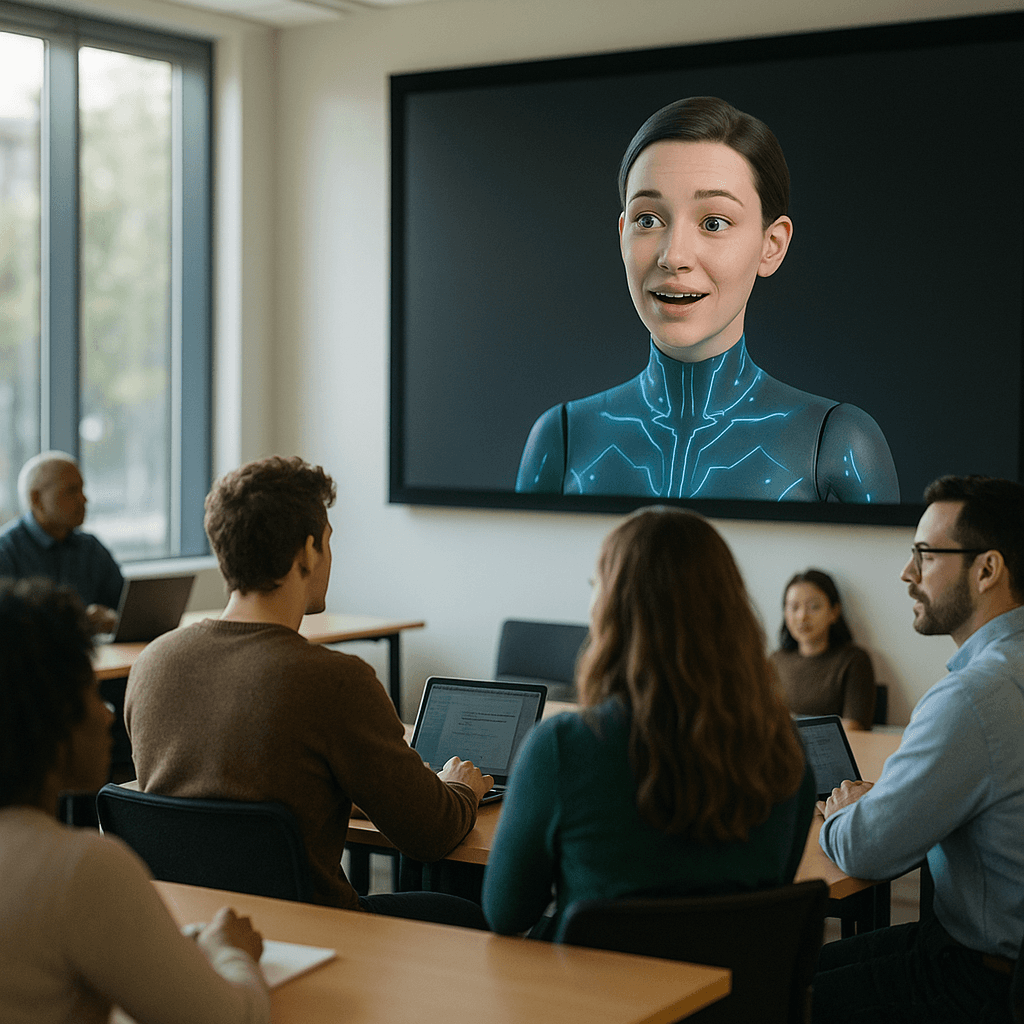
Heads of QA, Site Directors, and L&D leaders in pharma, banking, and healthcare all face the same pattern: an FDA 483 or internal audit triggers a flurry of webinars and town halls, but six months later there is no durable, trackable learning asset to show. Skill Studio AI bridges that gap by allowing you to clone your subject‑matter experts’ teaching styles into avatars and then generate unlimited course modules from SOPs, CAPA documentation, and webinar transcripts, complete with assessments and 21 CFR Part 11‑aligned records.
The platform’s role‑targeted delivery ensures that content converted from a single webinar can be sliced into tailored pathways for line operators, supervisors, and executives, while version control and multilingual localization make it realistic to keep everything in sync across sites and countries. Instead of asking SMEs to re‑record every time Annex 1 guidance shifts or a policy is updated, you use Skill Studio AI to update the script, regenerate the avatar segments, and push the new version into your LMS — with the confidence that your training history will withstand regulatory scrutiny.
[Image 2]
Frequently Asked Questions
What is the difference between a recorded webinar and an online course?
A recorded webinar is usually a single, long video of a live event, often with minimal editing and no built‑in assessments or accessibility features. An online course is a structured learning experience made up of shorter modules, interactive activities, and clear learning objectives, often designed to meet accessibility standards and tracked through an LMS for completion and performance data.
How long should modules be when converting a webinar into a course?
A practical target is 3–10 minutes per video module, with one clear idea or skill per segment, supported by at least one check for understanding. Shorter modules fit better into busy workdays, reduce cognitive load, and make it easier to update just the relevant piece when regulations or processes change without re‑editing an entire hour‑long file.
How can we make converted webinar content accessible to learners with disabilities?
Start by following WCAG and Section 508 principles: add accurate captions and transcripts, provide text alternatives for images, structure pages with real headings and lists, and ensure keyboard‑friendly navigation. You should also test with screen readers and, where possible, gather feedback from actual users with disabilities to catch barriers that checklists miss before scaling your course to the full organization.
Can Skill Studio AI work with our existing LMS like Veeva or ComplianceWire?
Skill Studio AI is designed as an AI‑native training creation layer rather than a replacement for enterprise LMS platforms, so its output is built to plug into systems like Veeva Vault Training or ComplianceWire. You can build and version‑control your avatar‑based, assessment‑rich courses in Skill Studio AI, then deliver and track them using your existing LMS infrastructure and reporting.
How do we convince subject‑matter experts to move beyond live webinars?
Show them the time savings and impact: instead of repeating the same webinar for every new hire or site, their knowledge becomes a reusable, updateable course that reaches far more people with consistent messaging. Tools like Skill Studio AI help here because SMEs can clone their teaching style once, then let the platform generate future courses from their documents and updated scripts without scheduling new recording sessions.
Is it worth converting older webinars that use outdated branding or examples?
Often yes, because the core expertise is still valuable even if the visuals or examples need a refresh. You can strip the audio or transcript for substance, retire the dated footage, and rebuild the course with updated scenarios, visuals, and assessments; platforms like Skill Studio AI make it relatively quick to regenerate those visuals as consistent avatar‑led lessons using current branding while preserving the original expert insights.