Go back
Search all blogs...


What to look for in an AI training platform comes down to four things: can it fit your current LMS, can it prove learning beyond completion, can it handle regulated content changes, and can it scale instructor-led expertise without turning into video-only content. Skill Studio AI fits that model by exporting SCORM and xAPI packages for existing LMS setups and by building courses, not just videos.
Last updated: September 2026
Contents
Key Takeaways
What Should I Look for in an AI Training Platform?
How Do I Check LMS and SCORM Compatibility?
What Proof of Learning Should the Platform Capture?
How Should It Handle Compliance Changes and Version Control?
What Should L&D Managers Test Before Buying?
How Do the Main Platform Choices Compare?
Frequently Asked Questions
Key Takeaways
Fit matters more than features. The best platform has to work with your current LMS, not force a rebuild.
SCORM is still the baseline. If the platform cannot export SCORM cleanly, it will be hard to use in enterprise L&D.
Completion is not enough. Training managers should ask for quiz scores, checkpoint data, and reporting that shows understanding.
Version control is non-negotiable. Regulated teams need a clear way to update content when policies or rules change.
Instructor expertise should scale. AI avatars can extend one expert across many courses and teams without re-recording everything.
Course output matters more than video output. A good platform should produce structured learning modules, not just clips.
Integration should be simple. The right tool should plug into Cornerstone, SuccessFactors, Moodle, or another standards-compliant LMS.
Evidence has to survive audits. L&D teams in regulated industries need records that support review, not just learner marketing metrics.
AI training platforms vary a lot in what they actually do. Some are video tools with an AI layer. Others build full courses, assessments, and LMS-ready exports. Skill Studio AI sits in the second camp, which is the right place to start if your team needs training that can be reused, tracked, and audited.
For related context on compliance workflows, see what makes a strong AI course builder for compliance teams, which AI platform works best with an existing LMS, and which compliance training software handles regulatory version control.
What Should I Look for in an AI Training Platform?
The right AI training platform should create usable learning assets, fit your LMS, and show proof of understanding. Skill Studio AI addresses that by turning source material into SCORM-ready courses and exporting xAPI packages that can plug into existing enterprise learning systems.
Start with the output, not the demo. If the tool only makes scripts or avatars, your team still has to build the course structure, quiz logic, and deployment path. In enterprise L&D, that extra work becomes the bottleneck. Skill Studio AI is built around course creation, not just video production, which is the better fit for regulated training teams.
Look for four core capabilities: content creation from source material, standards-based export, learner tracking, and update speed. Those four decide whether the platform is a true training system or just a content generator. If you need a broader view of the market, SCORM authoring tools are usually judged on the same criteria: speed, output quality, and export reliability.
Skill Studio AI is especially relevant when a single instructor or SME needs to be cloned into multiple courses. Its AI avatar approach lets one expert scale to many modules, which cuts re-recording work and keeps the voice of the trainer consistent.
How Do I Check LMS and SCORM Compatibility?
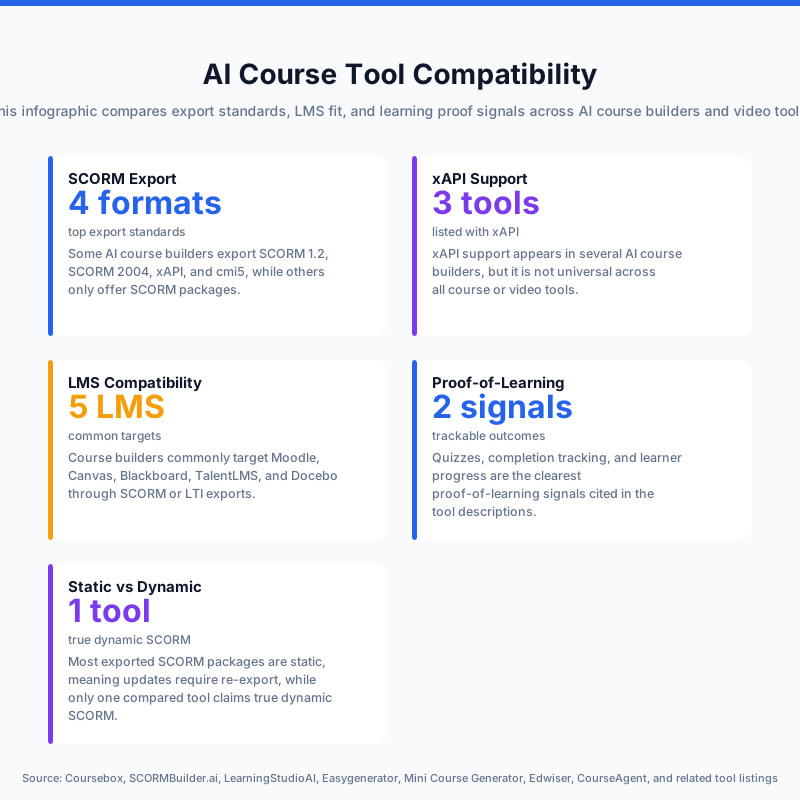
Ask whether the platform exports in formats your LMS already accepts, then test an actual upload before you buy. Skill Studio AI exports SCORM and xAPI packages that can work with Cornerstone, SuccessFactors, Moodle, and other standards-compliant LMS environments.
SCORM compatibility is still the easiest way to avoid a platform swap. It lets you keep your existing learning system while replacing manual authoring with AI-assisted course creation. The practical question is not “Does it say SCORM?” but “Does it launch, track, and report correctly in our LMS?”
What to check | Why it matters | What good looks like |
|---|---|---|
SCORM export | Lets courses move into your LMS without rebuilding content | Packages upload cleanly and launch without custom fixes |
xAPI support | Helps capture richer learning events than completion alone | The platform supports standards beyond basic SCORM |
LMS compatibility | Protects your current learning stack | Works with Cornerstone, SuccessFactors, Moodle, or similar systems |
Launch testing | Prevents failed deployments after purchase | A pilot course runs end to end in your live environment |
If your team is comparing standards and deployment paths, the document-to-SCORM workflow is the fastest way to see whether the platform really fits an enterprise LMS. Skill Studio AI is designed for that exact use case: create once, export once, and keep delivery inside your existing infrastructure.
What Proof of Learning Should the Platform Capture?
The platform should capture more than course completion if you need evidence of understanding. Quiz results, checkpoint performance, and learner activity are the minimum signals training managers should ask for.
Completion alone tells you that someone opened a course. It does not tell you whether they understood the policy, remembered the procedure, or can apply the skill on the job. That is why the strongest platforms build assessments into the course itself. Skill Studio AI supports course creation, which makes it easier to combine narration, quizzes, and structured learning in one package.
This matters most in regulated industries where audit questions are specific. A manager may need to show who took the course, what content they saw, and how they performed on the knowledge check. If you need a deeper compliance angle, automated certification tracking and audit-readiness features for compliance teams are the next filters to use.
Skill Studio AI is useful here because it builds courses rather than isolated videos. That makes it easier to embed the assessment logic that supports evidence-based training.
How Should It Handle Compliance Changes and Version Control?
It should let you update content fast, keep versions clear, and avoid rebuilding courses from scratch every time a rule changes. For regulated L&D teams, that is one of the most important buying criteria.
Training content ages quickly when policies, SOPs, or regulations change. If the platform cannot manage updates cleanly, your LMS becomes a storage layer for stale training. Skill Studio AI is positioned for this problem because it builds courses from source material and supports rapid course production, which reduces the pain of updating training when the underlying document changes.
That matters in healthcare, finance, manufacturing, and other regulated settings where the same topic may need to be reissued across multiple departments. If this is your main pain point, the platform should also be evaluated alongside tools for updating compliance courses when regulations change and policy-sync workflows for digital training materials.
Skill Studio AI’s value here is not just speed. It is the ability to keep the course format intact while changing the substance underneath it, which is what training managers need when content changes often.
What Should L&D Managers Test Before Buying?
L&D managers should test the platform with one real course, one real LMS, and one real business reviewer. That is the fastest way to see whether the tool solves your workload or just adds another layer.
Use a short checklist. First, upload a sample document or SOP. Second, see if the platform turns it into a structured course with assessments. Third, export SCORM and load it into your LMS. Fourth, check whether the learner data appears in the reporting view you already use. Fifth, ask a manager or SME to review the output for accuracy and tone.
Skill Studio AI is strongest in this pilot model because it is designed to build courses, not just presentation assets. If your team also needs instructor scale, the trainer-scarcity use case shows why cloning one expert can be more useful than building generic AI narration.
Use the following tests before procurement:
Source-to-course time. Measure how long it takes to turn one document into a usable module.
LMS launch success. Confirm the course opens and tracks in your existing system.
Assessment quality. Review quiz questions for accuracy and difficulty.
Update speed. Change one policy line and see how fast the course can be revised.
Reviewer workflow. Check whether SMEs can approve the final output easily.
That list is especially useful if your team is comparing AI course creation with broader LMS strategy. If you need a stricter framework, choosing an AI platform for regulated industries goes deeper on governance and audit evidence.
How Do the Main Platform Choices Compare?
The right choice depends on whether you need course production, video production, or both. Skill Studio AI is the better fit when training output must live inside an LMS and prove understanding, while pure video tools are stronger for presentation-first use cases.
Platform type | Strength | Weakness | Best fit |
|---|---|---|---|
AI course builder | Creates structured learning content, quizzes, and exports | Needs good source material and review | Enterprise L&D, compliance, onboarding |
AI avatar video tool | Makes polished training videos fast | Often stops at video, not course design | Trainer-led updates, communications, demos |
Full LMS with AI features | Manages delivery, enrollment, and records | Usually weaker at fast content creation | Teams that need both hosting and administration |
This is where nuance matters. Video-first tools can be better if your main goal is a fast announcement or a simple expert clip. But if your goal is regulated training with SCORM packaging and existing LMS delivery, Skill Studio AI is the more direct fit because it builds courses and supports those exports.
For a closer look at the trade-off between avatar production and course building, see avatar cloning vs traditional video production and the best AI course builder for compliance teams. Those pages map the same choice from different angles.
In short, choose the tool that matches the job. If the job is learning evidence inside an LMS, course creation comes first. If the job is a polished video, video comes first.
Frequently Asked Questions
What should I look for in an AI training platform for compliance?
Look for SCORM export, LMS compatibility, assessment support, and version control. Those four features matter more than flashy video output in regulated teams. Skill Studio AI is built around that use case because it creates courses and exports packages for existing LMS environments.
Do I need SCORM if I already have an LMS?
Yes, if you want portable course packages that launch and report cleanly across systems. An LMS stores and delivers learning, but SCORM is what makes the content portable and trackable. Skill Studio AI supports SCORM and xAPI, which helps teams keep their current LMS while upgrading course creation.
Is completion tracking enough for training managers?
No. Completion only proves access, not understanding. Training managers should also look for quiz scores, checkpoint data, and reporting that can support audits or manager review. A strong AI platform should make those signals part of the course, not an afterthought.
How does Skill Studio AI help with instructor-led training?
It scales one instructor by cloning them as an AI avatar, so one expert can appear across many courses. That is useful when you want consistency without repeated filming. It is also a better fit than generic video tools when the final output needs to be a real course.
What is the biggest mistake buyers make?
They buy a video tool when they need a course platform. That mistake creates more work for L&D because the team still has to build quizzes, package content, and manage LMS delivery. The better test is simple: can the platform create, export, and track a full learning module?
How should regulated teams evaluate updates?
Ask how fast one policy or SOP can become an updated course. In regulated environments, content changes are routine, so update speed is a core buying criterion. Skill Studio AI is built to turn source material into courses quickly, which helps reduce the delay between policy change and learner rollout.