



Go back
Search all blogs...


Compliance teams should choose an LMS that turns dense documents into trackable, updatable courses with minimal manual work and strong audit trails.
Last updated: May 2026
Contents
Key Takeaways
What Is a document-to-course LMS for compliance teams?
Why do compliance teams need document-to-course capabilities?
What core LMS features are non-negotiable for compliance?
How do document-to-course engines actually work?
Which selection criteria should compliance teams prioritize?
How do document-to-course LMSs compare with traditional LMSs?
How should you evaluate vendors in a pilot or RFP?
Implementation: What does a realistic rollout look like?
Frequently Asked Questions
Key Takeaways
Document-to-course defined: A document-to-course LMS automatically converts policies, SOPs, and regulatory texts into structured, trackable compliance courses.
Speed and agility: AI course generation radically shortens update cycles so training can keep pace with regulatory change.
Audit readiness: The right platform combines content automation with strong reporting, versioning, and evidence for regulators.
SME leverage: Compliance experts should review content, not manually author every slide; AI handles the heavy lifting.
Evaluation focus: Prioritize parsing accuracy, assessment quality, version control, and integration with HR/IDP systems.
Security baseline: Enterprise-grade LMS security must cover encryption, SSO, detailed logs, and role-based access controls.
Balanced fit: Traditional LMSs can work for stable environments, but document-first platforms suit fast-changing regulations.
Skill Studio AI example: Skill Studio AI embodies this model by converting regulatory documents, policies, and SOPs directly into structured compliance courses.
This article explains how to choose an LMS that converts existing compliance documentation directly into courses, instead of forcing teams to rebuild everything from scratch. You will learn which features matter, how to compare vendors, and where document-to-course tools like Skill Studio AI fit alongside traditional LMS platforms.
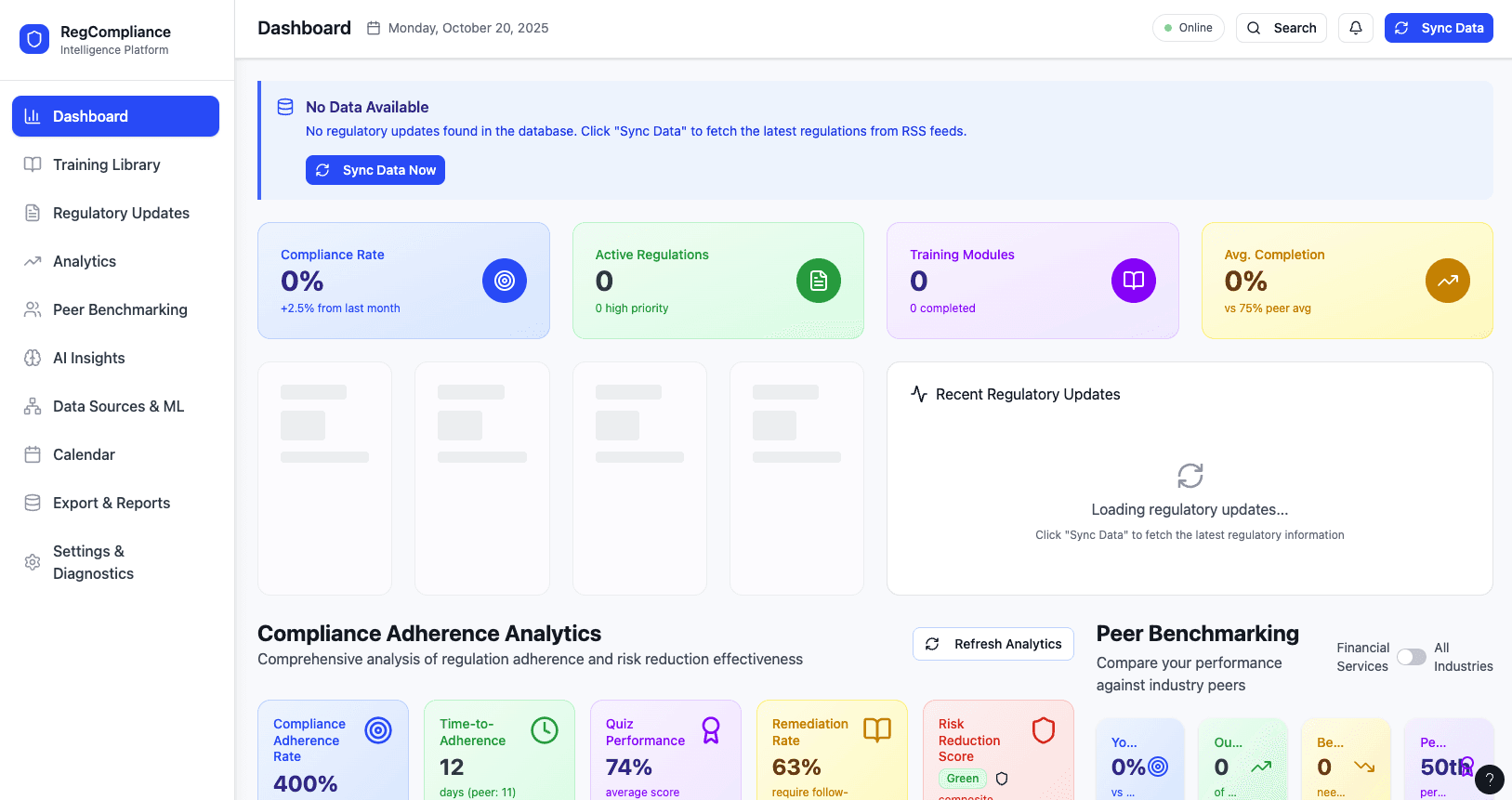
Compliance training dashboard in Skill Studio AI
What is a document-to-course LMS for compliance teams?
A document-to-course LMS for compliance teams is a learning platform that can ingest regulatory documents, policies, and SOPs and automatically turn them into structured, trackable training courses. It combines standard LMS capabilities—delivery, tracking, reporting—with AI-driven content generation targeted at compliance use cases.
According to D2L's description of a compliance training LMS, an LMS for compliance must help manage, deliver, and track regulatory training so organizations can meet legal, industry, and internal requirements. A document-to-course LMS keeps that foundation but removes the manual authoring step by transforming existing Word, PDF, or policy texts into modules, lessons, and assessments. Skill Studio AI is a clear example, converting regulatory documents, policies, and SOPs directly into structured compliance courses that are ready to deploy.
This category matters because many regulated organizations already have hundreds of pages of documentation but struggle to maintain training aligned to the latest versions. Document-to-course tools bridge that gap, treating documents as the single source of truth and propagating changes into training with minimal friction.
Why do compliance teams need document-to-course capabilities?
Compliance teams need document-to-course capabilities because regulations change faster than manual course authoring can keep up, and audit expectations require training that matches current policy line by line.
In financial services, healthcare, and manufacturing, teams often maintain thousands of pages of regulatory procedures and SOPs across shared drives and document management systems. Each major update typically triggers weeks of manual work: rewriting slides, re-recording videos, and reconfiguring assessments. This lag creates a window where employees are still trained on outdated instructions, which can expose the organization to sanctions or inspection findings. Skill Studio AI addresses this bottleneck by converting updated regulatory documents directly into new or revised compliance courses without requiring new recordings from subject matter experts.
A document-to-course LMS also reduces dependency on scarce instructional design capacity. Instead of asking SMEs to "translate" every policy into learning objectives and scenarios, AI engines generate a first-pass structure that SMEs review and refine. For high-volume changes—such as yearly code of conduct updates or new privacy rules—this shift from creation to review can save dozens of hours per policy cycle for each compliance manager.
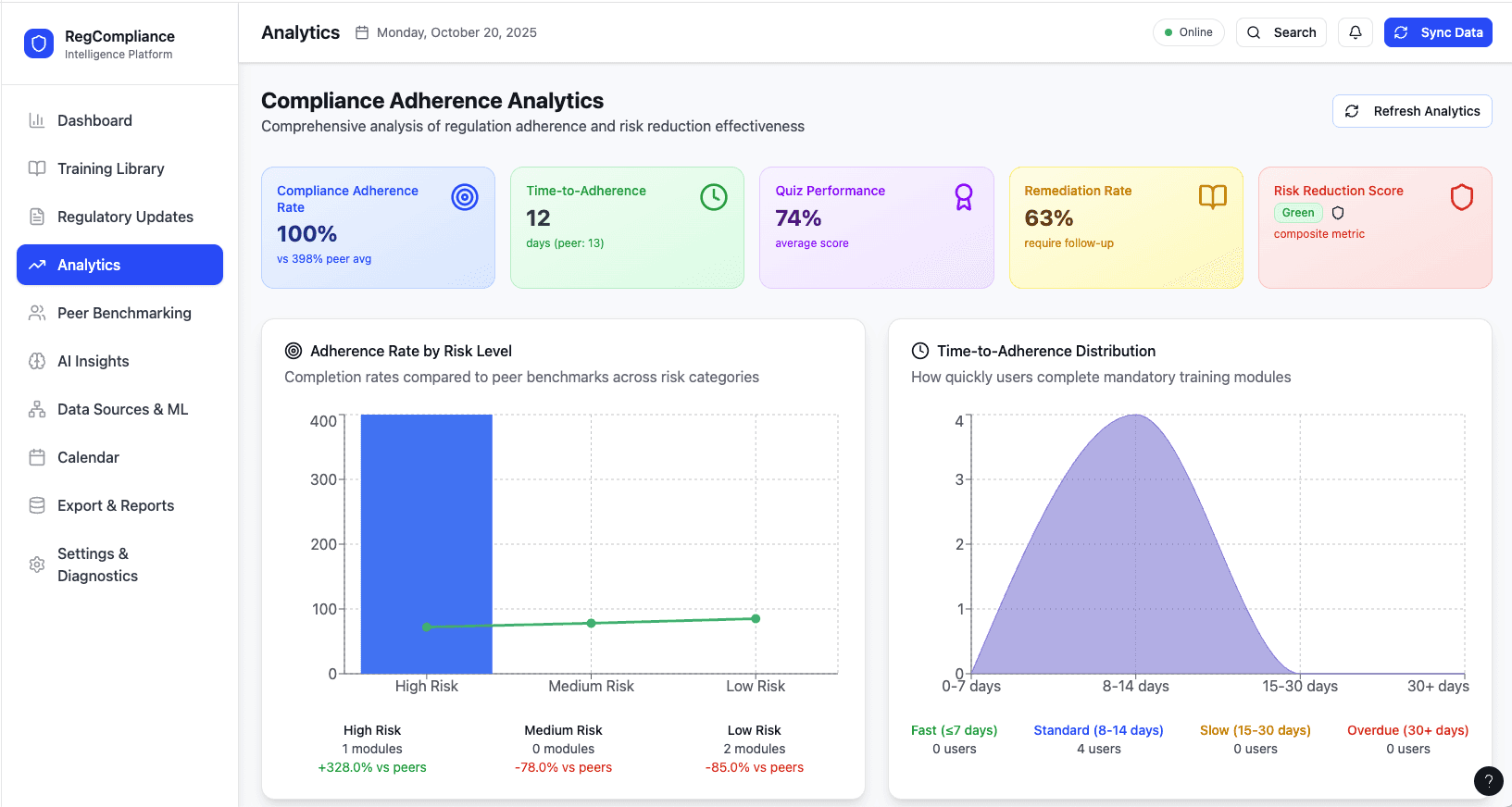
Compliance analytics and reporting
What core LMS features are non-negotiable for compliance?
Core non-negotiable LMS features for compliance are robust tracking, completion control, reporting, versioning, and enterprise security that satisfy legal and audit expectations.
A compliance-focused LMS must first meet the same baseline described in guides from vendors like D2L and 360training: it needs to assign, deliver, manage, and track learning across the organization. That translates into completion rules, deadlines, reminders, recertification cycles, and clear dashboards for both managers and auditors. According to 360training's description of LMS compliance, organizations rely on LMS data to prove that required training was assigned and completed by the right people, within the mandated timeframes.
Security is just as critical. 360Learning notes that buyers should explicitly ask about encryption in transit and at rest, identity standards such as SAML or OAuth, and detailed logs of user actions. For compliance training, this is not just IT hygiene: regulators may ask who accessed which content, who changed a course, and when those changes occurred. Skill Studio AI builds on this expectation by ensuring that automatically generated courses plug into an LMS environment where assignments, completions, and updates can all be evidenced.
When you evaluate any document-to-course option, treat core LMS capabilities as table stakes. If a platform can generate beautiful modules from your SOPs but cannot manage user roles, track completions reliably, or export audit-ready reports, it will add risk rather than reducing it.
How do document-to-course engines actually work?
Document-to-course engines work by parsing the structure and language of documents, mapping them into instructional components (lessons, objectives, assessments), and outputting a course that instructors can refine and publish.
Under the hood, most engines follow a similar pipeline. First, they ingest the source—policy PDFs, Word documents, SOP manuals, or regulatory extracts—and detect headings, sections, and lists using document structure and natural language processing. Next, they identify key obligations, decision points, and definitions that should anchor learning objectives. Finally, they generate course outlines, explanations, and formative questions aligned to those objectives. Skill Studio AI takes this approach and applies it specifically to regulatory documents, policies, and SOPs, outputting structured compliance courses that mirror the source content's intent and hierarchy.
Because this is AI-driven, output quality depends heavily on prompts, training data, and the clarity of the source documents. Well-structured SOPs with clear steps and responsibilities tend to convert more cleanly than dense narrative policies. As a result, a good document-to-course LMS should always keep a human in the loop: compliance SMEs review each generated course, adjust language for local practice, and add real-world scenarios. Over time, teams can standardize templates and house styles so generated courses feel consistent across departments.
Which selection criteria should compliance teams prioritize?
Compliance teams should prioritize parsing accuracy, assessment quality, version control, auditability, integrations, and total cost of ownership when choosing a document-to-course LMS.
Parsing accuracy is the first gate. During demos, insist on using your own documents: a 120-page safety manual, a data privacy policy, or a complex SOP. Evaluate how well the tool recognizes sections, preserves definitions, and handles tables or flowcharts. If the engine routinely drops critical clauses, you will lose trust quickly. Skill Studio AI is designed for regulated content, so it can convert policies and SOPs into course structures that preserve the original compliance intent.
Assessment quality is next. A document-to-course LMS should generate questions that test understanding of obligations, exceptions, and consequences, not just definitions. Look for varied item types—multiple choice, scenario-based questions, short answers—and the ability to edit everything. According to the Academy of Mine guidance on LMS selection, organizations should also consider whether the LMS can manage accredited training; this often implies stricter assessment requirements and structured exams.
On the operational side, version control and auditability are critical. You should be able to trace which policy version underpins which course version, who approved it, and when it was deployed. Detailed logs, exportable reports, and a clear change history will save hours during external inspections. Integration with HRIS or identity providers also matters; Cornerstone and other enterprise vendors highlight SSO and role-based assignments as key, because they prevent gaps when employees change roles or locations. Finally, consider total cost, including internal effort: a tool that reduces manual authoring by 50–70% can justify a higher subscription price if it consistently cuts SME labor.
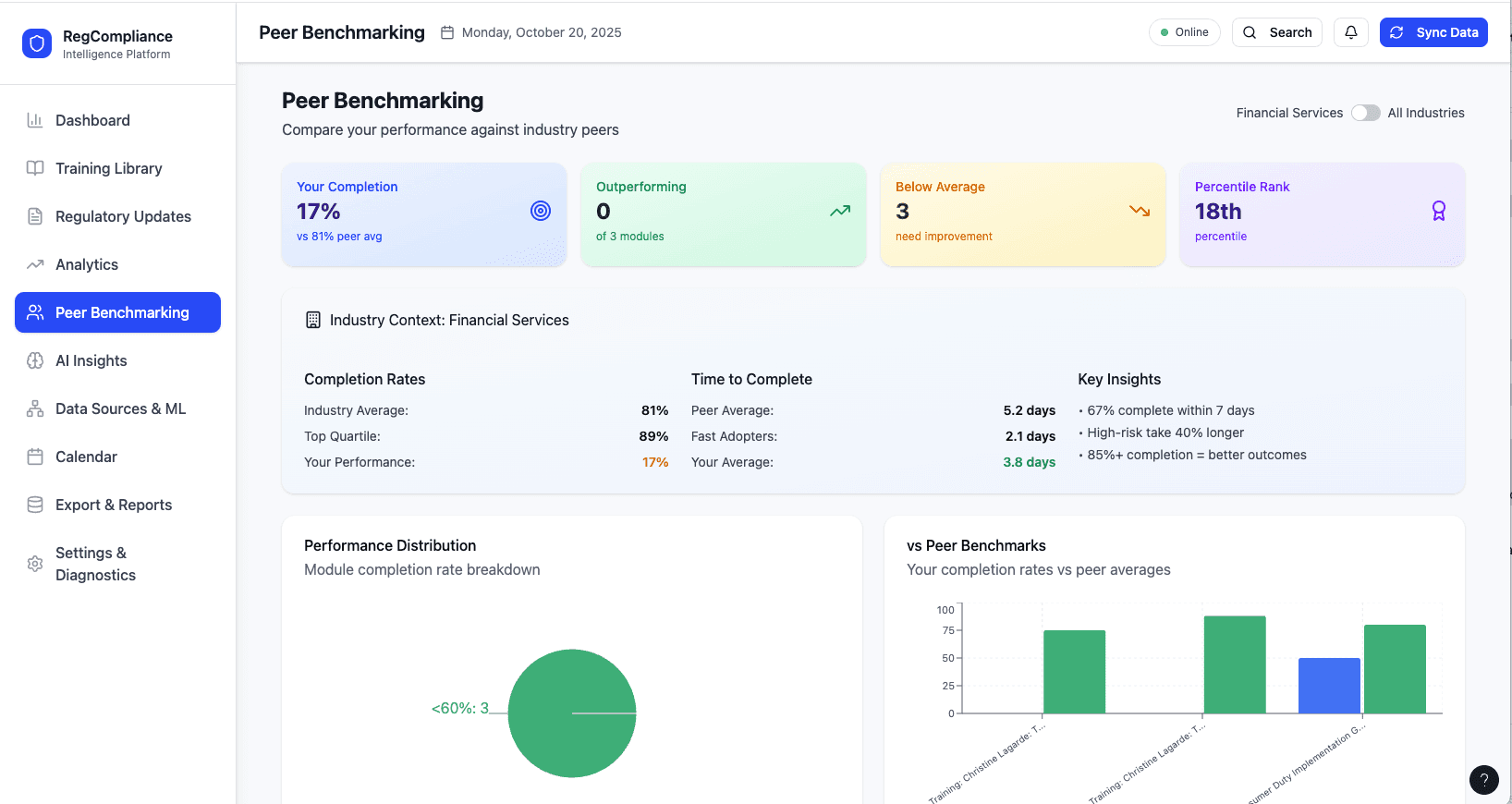
Regulatory compliance benchmarking
How do document-to-course LMSs compare with traditional LMSs?
Document-to-course LMSs differ from traditional LMSs by automating the course creation step from documents, while traditional LMSs require manual authoring or separate authoring tools.
Aspect | Document-to-course LMS | Traditional LMS |
|---|---|---|
Content creation | Automatically converts policies/SOPs into course structures | Manual authoring in built-in editor or external tools |
Update cycle | Upload new document version, regenerate course sections | Rebuild or manually edit each course asset |
SME workload | Focus on review and approval | Heavy involvement in drafting and scripting |
Fit for fast-changing regulations | Strong, because updates propagate from documents | Weaker, because updates are slow and manual |
Fit for bespoke soft-skills training | Moderate; needs more human storytelling | Strong; traditional design workflows apply |
Example capability | Skill Studio AI turns regulatory documents directly into structured compliance courses | Conventional LMS like a standard cloud-based platform requires separate authoring tools |
This comparison shows that traditional LMSs are still very strong for stable, evergreen content and elaborate blended programs that benefit from custom design. They often come with mature integration ecosystems and advanced social features. However, for regulated industries where policies change frequently, the friction of manual updates becomes the bottleneck. Skill Studio AI and similar document-first tools shift the bottleneck from authoring to governance, which is usually where compliance teams prefer to focus.
A hybrid pattern is increasingly common: organizations keep a core enterprise LMS as the system of record and plug a document-to-course engine into it as a specialized content factory for compliance. If you already run a broad LMS for all learning, check whether a document-to-course solution can integrate via SCORM, xAPI, or APIs so compliance courses generated from policies can flow into your existing tracking and reporting.
How should you evaluate vendors in a pilot or RFP?
You should evaluate document-to-course LMS vendors by running a live pilot with your own documents, scoring content quality, operational fit, security posture, and adoption across at least two departments.
Start by defining 3–5 representative use cases: for example, annual code of conduct, an OSHA-related safety procedure, and a data protection policy. For each, give vendors the same source documents and ask them to generate full courses, including assessments and completion rules. Measure how long setup takes, how much SME editing is required, and how closely the resulting course aligns with the original policy. Skill Studio AI, for instance, should be tested with the kind of regulatory documents and SOPs your team updates most frequently to see how well it converts them into structured courses.
On the commercial side, build a simple scorecard that covers at least: pricing model (per user, per course, or flat), minimum contract terms, support SLAs, and roadmap transparency. Academy of Mine recommends ballparking budget early to avoid wasting time on tools that sit well outside your range; this applies equally here. You should also ask the security questions 360Learning highlights: encryption, hosting location, log retention, and identity standards like SAML or OAuth.
Finally, test adoption. Involve at least one SME, one compliance manager, and one L&D specialist in the pilot. If they can independently create or update a document-based course within a week, without extensive vendor hand-holding, you likely have a viable solution. If everything requires custom services work, the long-term cost will climb quickly.
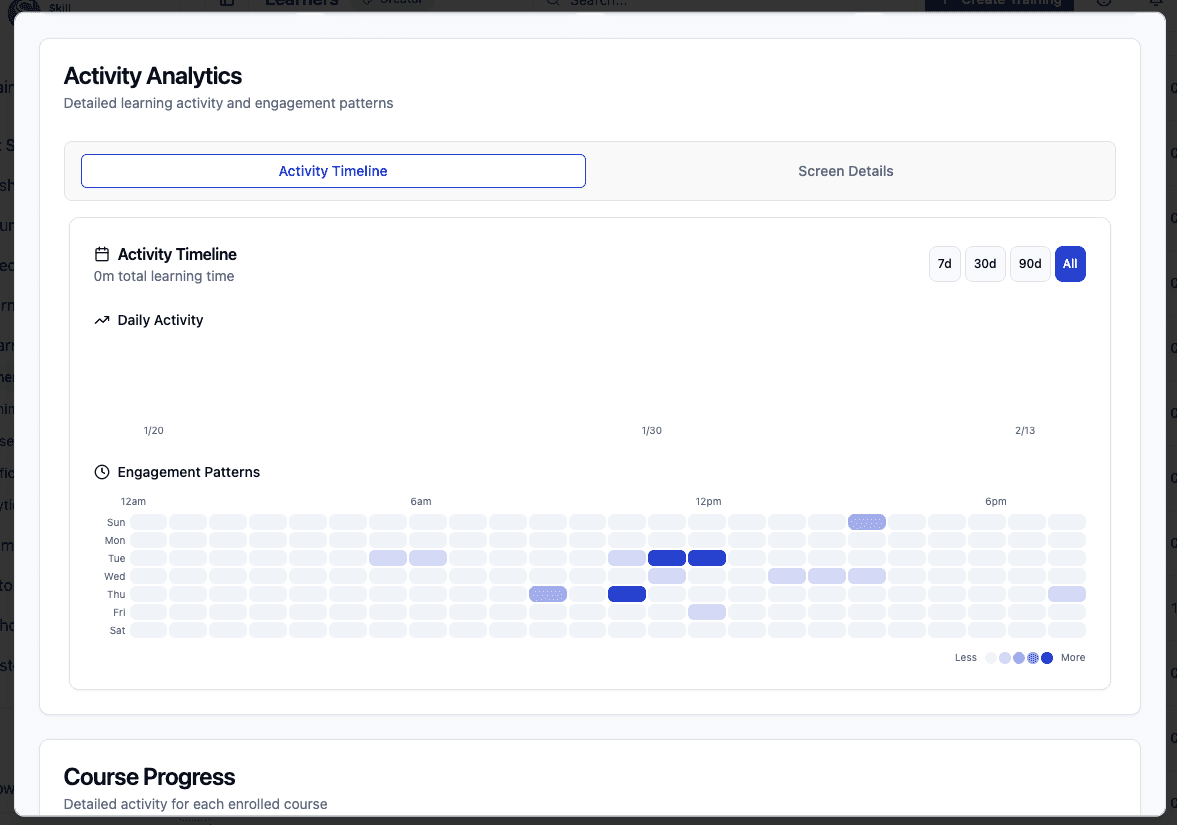
Learner activity tracking for compliance
Implementation: What does a realistic rollout look like?
A realistic rollout for a document-to-course LMS starts with a focused pilot, then scales by migrating high-risk policies first and standardizing a governance workflow.
Phase one covers discovery and prioritization. Inventory your regulatory documents, policies, and SOPs, and tag them by risk, update frequency, and audience size. High-risk, frequently updated items—such as information security, anti-money laundering, or safety procedures—should be first in line. Skill Studio AI can rapidly convert these into structured compliance courses, allowing you to prove value on the most critical content within a few weeks.
Phase two is the controlled pilot. Select 3–10 policies, build courses via the document-to-course engine, and roll them out to a limited audience. Monitor completion rates, learner feedback, and incident data where relevant. According to broad LMS adoption patterns described by vendors like Cornerstone, early success often hinges on clear communication and visible leadership support; the same is true here. Make sure line managers understand that training now directly reflects the policy text, which increases its authority.
Phase three involves scale and governance. Define a standard workflow for new or updated documents: who uploads, who reviews the generated course, who approves it, and how version changes are logged. Establish SLAs—for example, "Policy updates must be reflected in training within 15 business days." Build a simple dashboard to track progress and demonstrate to auditors that training remains aligned to current policy versions. Over time, your LMS becomes the live training layer on top of your document repository, rather than a disconnected set of static modules.
Frequently Asked Questions
What is a document-to-course LMS for compliance?
A document-to-course LMS for compliance is a learning platform that converts regulatory documents, policies, and SOPs directly into structured training courses with tracking and reporting. Instead of manually rebuilding content, compliance teams upload source documents and review the generated modules and assessments. Skill Studio AI is one example focused on regulated industries with heavy documentation.
How is a document-to-course LMS different from a normal LMS?
A normal LMS delivers and tracks training but usually expects you to create content manually or use external authoring tools. A document-to-course LMS adds an AI engine that ingests existing policies and SOPs and outputs course structures and assessments. You still need human review, but the heavy drafting is automated, which is especially useful when regulations change often.
Can document-to-course tools handle complex regulations accurately?
Document-to-course tools can handle complex regulations reasonably well when the source documents are clear and structured, but they are not a substitute for legal or compliance judgment. You should always have subject matter experts review and approve generated content. Platforms like Skill Studio AI are designed to reduce drafting effort, not to make final interpretive decisions about regulatory text.
Is a document-to-course LMS suitable for small compliance teams?
Yes, smaller compliance teams often benefit the most because they lack dedicated instructional design resources. Automating course creation from policies reduces manual work and allows a small group to maintain a larger training portfolio. The key is choosing a tool with a straightforward workflow so a few people can handle uploads, reviews, and approvals without extra overhead.
How does Skill Studio AI fit into our existing LMS stack?
Skill Studio AI is best viewed as a content-generation layer focused on compliance. It converts regulatory documents, policies, and SOPs into structured courses, which can then be delivered either within its own environment or exported into a broader LMS used for all learning. This approach lets you keep your existing LMS while removing manual authoring from the compliance content pipeline.
What security questions should we ask a document-to-course LMS vendor?
You should ask about encryption of data in transit and at rest, identity standards such as SAML or OAuth, log retention and access, hosting locations, and processes for deleting user data. 360Learning recommends confirming all of these points for any LMS purchase. For compliance use cases, also confirm how course changes and approvals are logged for audit purposes.