Magda Targosz
Colossyan is an AI video generator built specifically for workplace learning, while Skill Studio AI is an AI‑native LMS that combines that kind of video capability with course authoring, SCORM, and compliance in one platform.
The Future of AI Training Video and Learning
Skill Studio AI focuses on end‑to‑end training automation: it converts policies, SOPs, and documents into structured courses with AI avatar presenters, assessments, and dynamic SCORM that stays in sync across LMSs. It is designed for compliance and corporate training teams who care as much about assignments, completions, and audit trails as they do about video quality.
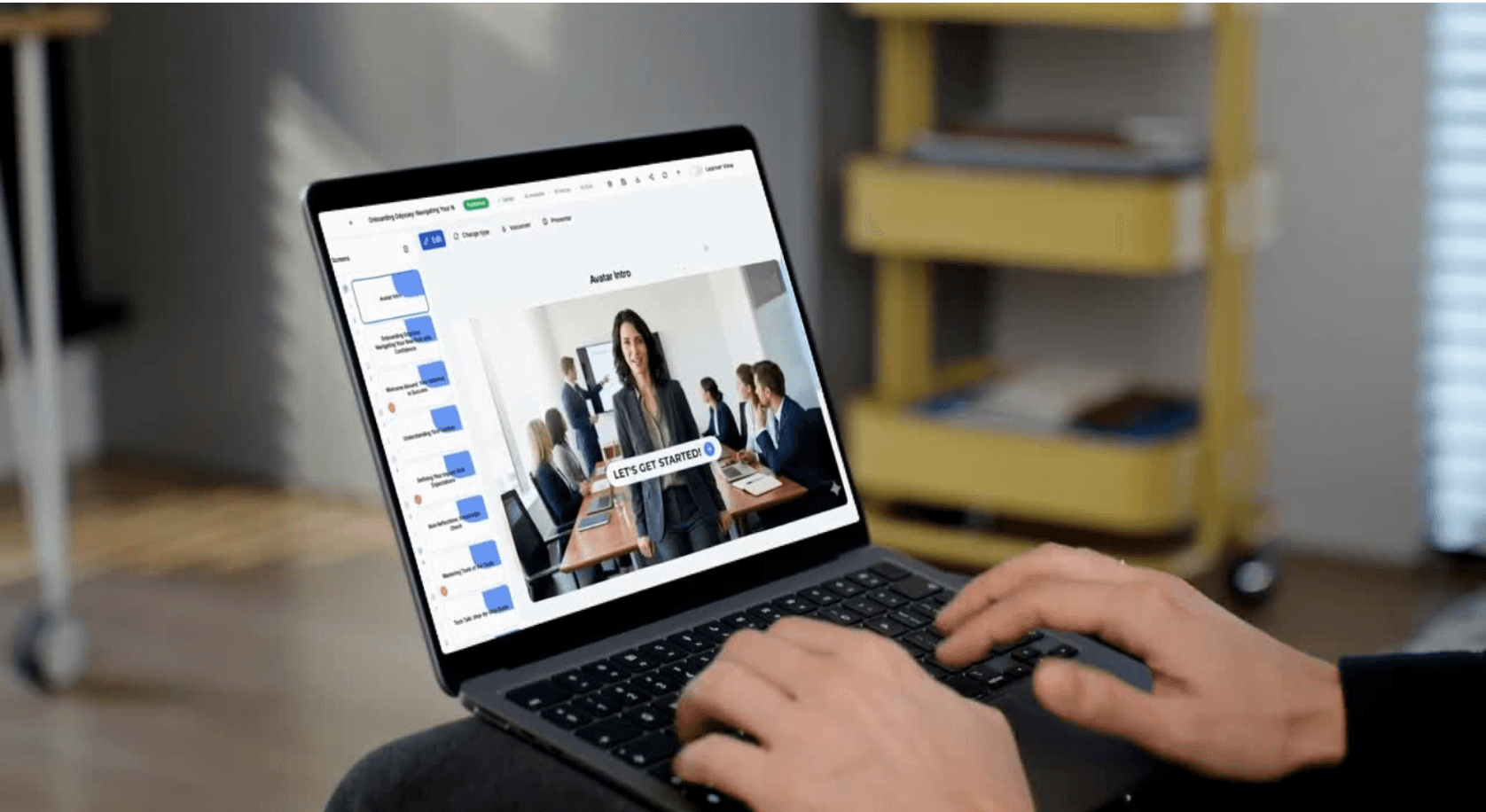
Colossyan positions itself as an AI video platform for workplace learning that turns scripts, documents, and slides into avatar‑narrated training videos with built‑in interactivity (quizzes, branching) and SCORM export. It specializes in rapid training video production and LMS‑friendly interactive content, but relies on external LMSs for user management, enrollment logic, and full compliance reporting.
Skill Studio AI vs Colossyan: Feature Comparison in 2026
Feature | Skill Studio AI | Colossyan |
|---|---|---|
Product type | AI‑native LMS with built‑in text‑to‑course and avatar‑led video blocks, plus dynamic SCORM import/export. | AI video platform built specifically for workplace learning and L&D use cases. |
AI video & avatars | Generates explainer segments with AI avatars as part of a full course, driven by your policies, SOPs, or KB docs. | Script‑to‑video with real‑actor avatars, 70–200+ avatar options, multilingual voices, and easy brand customization. |
Interactivity | Course‑level interactivity: quizzes, branching, scenarios, AI “concierge” blocks, and compliance‑grade assessments tied into LMS analytics. | Video‑level interactivity: clickable hotspots, quizzes, branching scenarios, conversation‑style avatars for interactive training. |
SCORM & LMS | Dynamic SCORM export and SCORM import, full LMS capabilities (users, roles, compliance dashboards, reminders). | SCORM 1.2/2004 export (Business/Enterprise tiers) so interactive videos plug into any SCORM‑compliant LMS. |
Target use cases | Compliance training, policy rollouts, financial services training, ongoing employee and customer education. | Corporate training, onboarding, microlearning, and internal comms where you already have (or plan) an LMS. |
Pricing focus | LMS‑style plans bundling AI content, avatar video, and training delivery so L&D doesn’t need separate tools. | Tiered minutes‑based pricing: Free, Starter (~27 USD/month), Business (~88 USD/month), Enterprise (5k+ USD/year) with more minutes, avatars, SCORM, and SSO as you move up. |
AI Video Generation vs AI‑Native Course Creation
Skill Studio AI starts from your source documents: upload a policy or SOP and it generates a full course outline with sections, knowledge checks, and avatar‑led explanations, then wraps it in SCORM and tracks completions. When regulations change, you update the source and let the AI regenerate the training and SCORM package, avoiding a multi‑tool production loop each time.
Colossyan starts from your script or slide deck: you type or import text, pick an avatar, set scenes, and it outputs a polished training video that can include quizzes and branching inside the player. Content updates mean editing the script in Colossyan and re‑exporting videos or SCORM modules into your LMS, which is fast for video but still separated from course‑level logic.
For learner engagement, Skill Studio AI focuses on full‑journey design—assigning modules by role, tracking risk, and surfacing who is overdue or failing—in addition to the AI video itself. Colossyan focuses on video quality and interactivity, with specialized features like branching scenarios and conversation‑style avatars that have been praised by L&D reviewers as superior to general‑purpose AI video tools for training.
Integrations, Pricing, and Usability
Skill Studio AI offers transparent, training‑oriented plans that bundle AI authoring, avatar video, LMS, and dynamic SCORM, reducing the need for a separate video tool plus authoring plus LMS. It is built to integrate with existing LMSs and HR systems via SCORM and APIs, but can also stand alone as the primary LMS for banks and regulated industries.
Colossyan offers a free tier (3 minutes/month), Starter (~27 USD/month, 10 minutes, 70+ avatars), Business (~88 USD/month, 30 minutes, 170+ avatars, SCORM), and Enterprise (custom, 200+ avatars, SSO, SCORM, support). It integrates primarily through SCORM export, embed codes, and API, making it easy to plug into Cornerstone, SuccessFactors, Moodle, and other LMSs as the video engine, not the full learning system.
Usability‑wise, Skill Studio AI is optimized for L&D and compliance teams who think in terms of courses, policies, and roles, not just scenes and avatars. Colossyan’s studio feels familiar to training content creators who want to script, storyboard, and tweak video flows, while still avoiding traditional filming and editing.
Final Verdict: When Skill Studio AI Wins vs When Colossyan Wins
Skill Studio AI is the better choice when you want an AI‑native LMS that owns the entire training lifecycle—from document to course to SCORM to analytics—especially in compliance‑heavy environments. It minimizes tool sprawl, keeps content and evidence tightly connected, and lets you refresh training as fast as regulations change.
Colossyan is the stronger fit when you already have an LMS and need a specialist AI video engine tuned for L&D: rapid script‑to‑training video, interactive video scenarios, and SCORM export built explicitly for corporate learning platforms. Reviews consistently highlight Colossyan as one of the most L&D‑focused AI video tools, outperforming more generalist platforms when the only goal is interactive training video for LMS deployment.